Sending Faxes
4-8
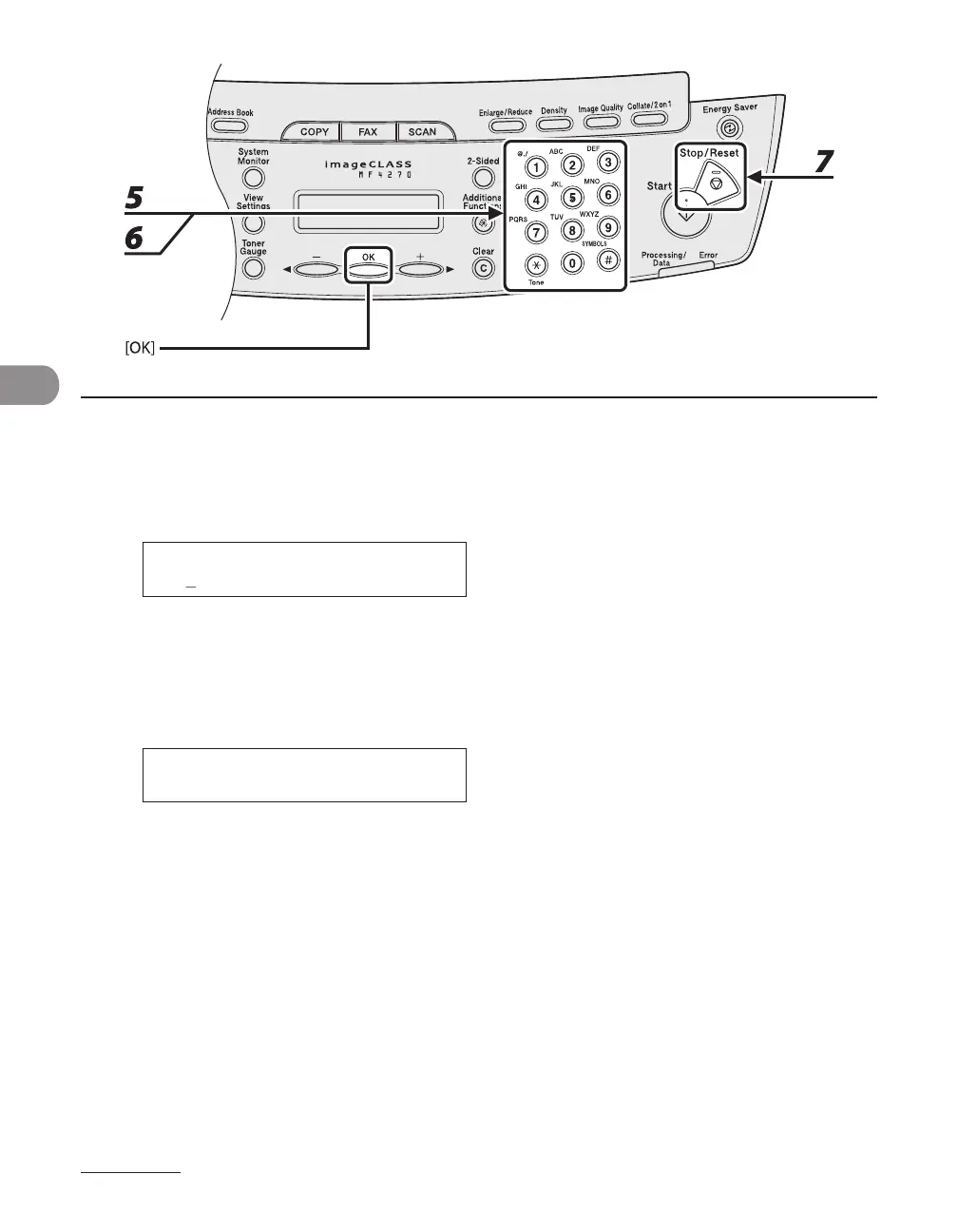
5 Enter the recipient’s name (max. 20 letters, including spaces) with the numeric
keys, then press [OK].
6 Enter the fax/telephone number you register (max. 50 digits, including spaces
and pauses) with the numeric keys, then press [OK].
0 1 2 X X X X X X X _
T E L N U M B E R E N T R Y
Ex.
To register another one-touch speed dialing key or coded speed dialing code, repeat the procedure
from step 4.
7 Press [Stop/Reset] to return to the standby mode.


 To Next Page
 Loading...










