30
E
Mastering
the Basics
AV/PHONES•••AV
VCR SET UP
Connections for Playback on a TV Screen
You can connect the camcorder to a TV or VCR in order to play back your
recordings. You will need to attach a power source to the camcorder ( 11).
Power off all devices before starting the connections.
See your TV or VCR instruction manual for further details.
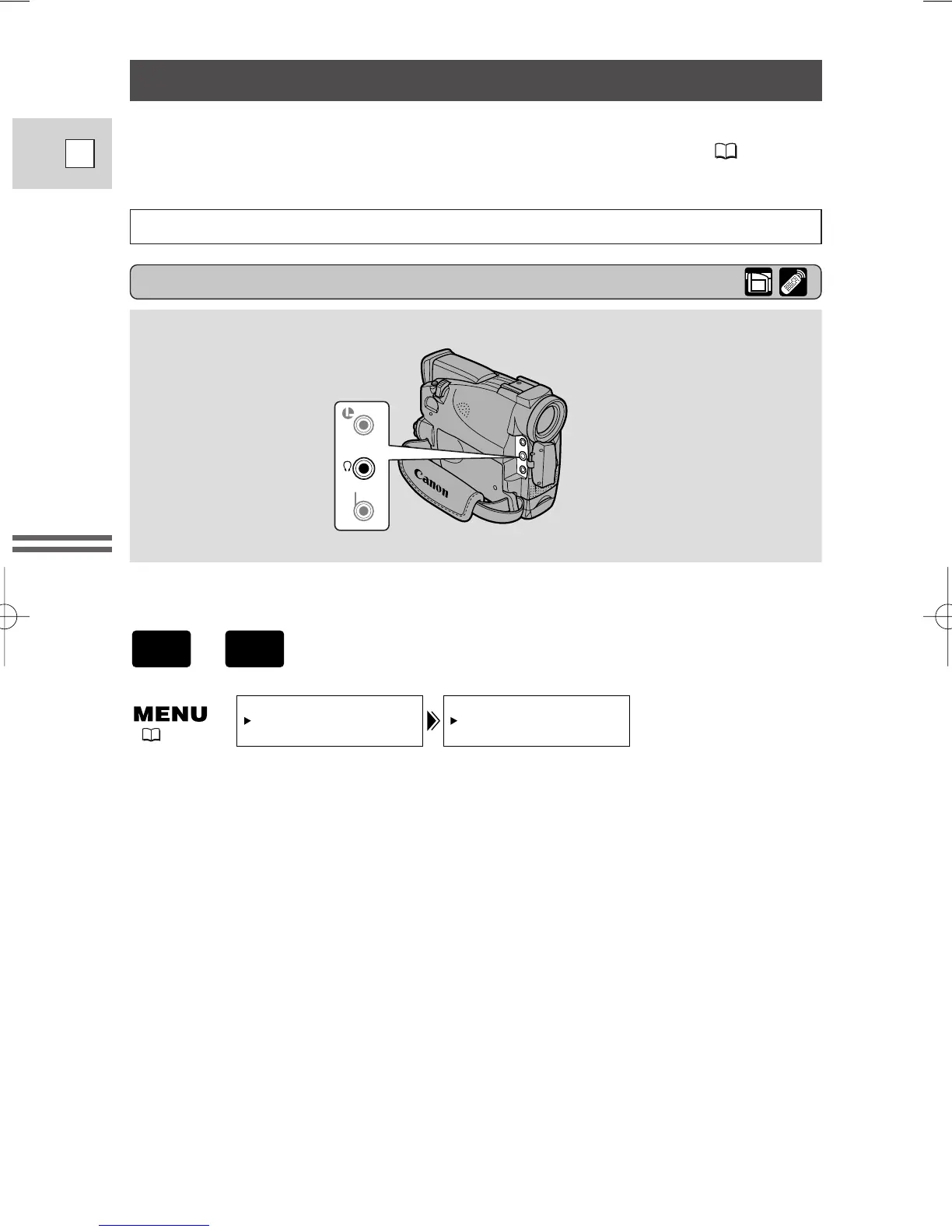
Through the menu, the camcorder’s AV/headphone terminal can be switched to
function as either the AV terminal or the headphone terminal.
Switching the AV/headphone terminal
Open the menu and select VCR SET UP. Then select AV/PHONES and set it
to AV or PHONES.
• When the terminal is switched to PHONES, PHONES appears in the display.
Using the headphones
• Make sure you switch the AV/headphones terminal to PHONES before using
headphones. If the AV/headphones terminal is not switched to PHONES before
you use the headphones, noise will come out from the headphones.
,
( 36)
2_ZR20_E(08-34) 3/12/01 13:49 Page 30


 To Next Page
 Loading...