119
Using a Memory Card
E
Creating a Start-up Image
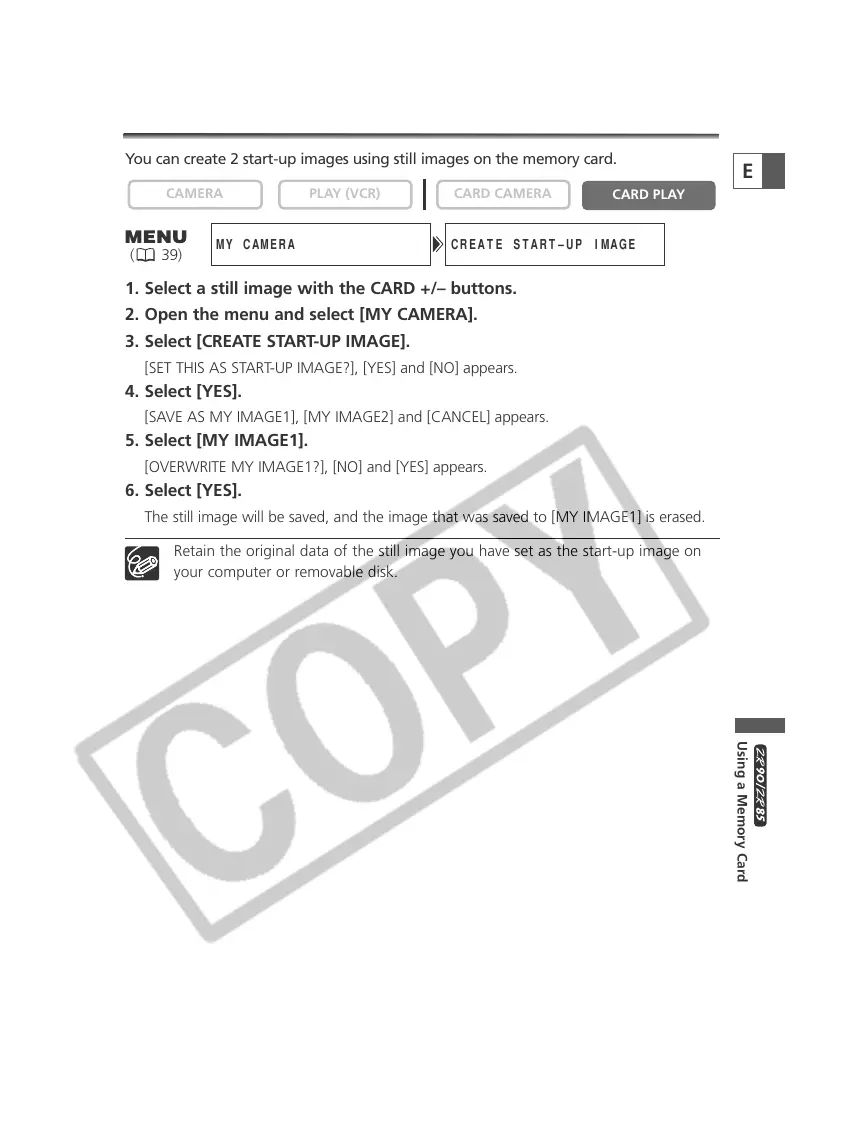
You can create 2 start-up images using still images on the memory card.
1. Select a still image with the CARD +/– buttons.
2. Open the menu and select [MY CAMERA].
3. Select [CREATE START-UP IMAGE].
[SET THIS AS START-UP IMAGE?], [YES] and [NO] appears.
4. Select [YES].
[SAVE AS MY IMAGE1], [MY IMAGE2] and [CANCEL] appears.
5. Select [MY IMAGE1].
[OVERWRITE MY IMAGE1?], [NO] and [YES] appears.
6. Select [YES].
The still image will be saved, and the image that was saved to [MY IMAGE1] is erased.
Retain the original data of the still image you have set as the start-up image on
your computer or removable disk.
PLAY (VCR)CAMERA
CREATE START–UP IMAGEMY CAMERA
( 39)


 To Next Page
 Loading...