124
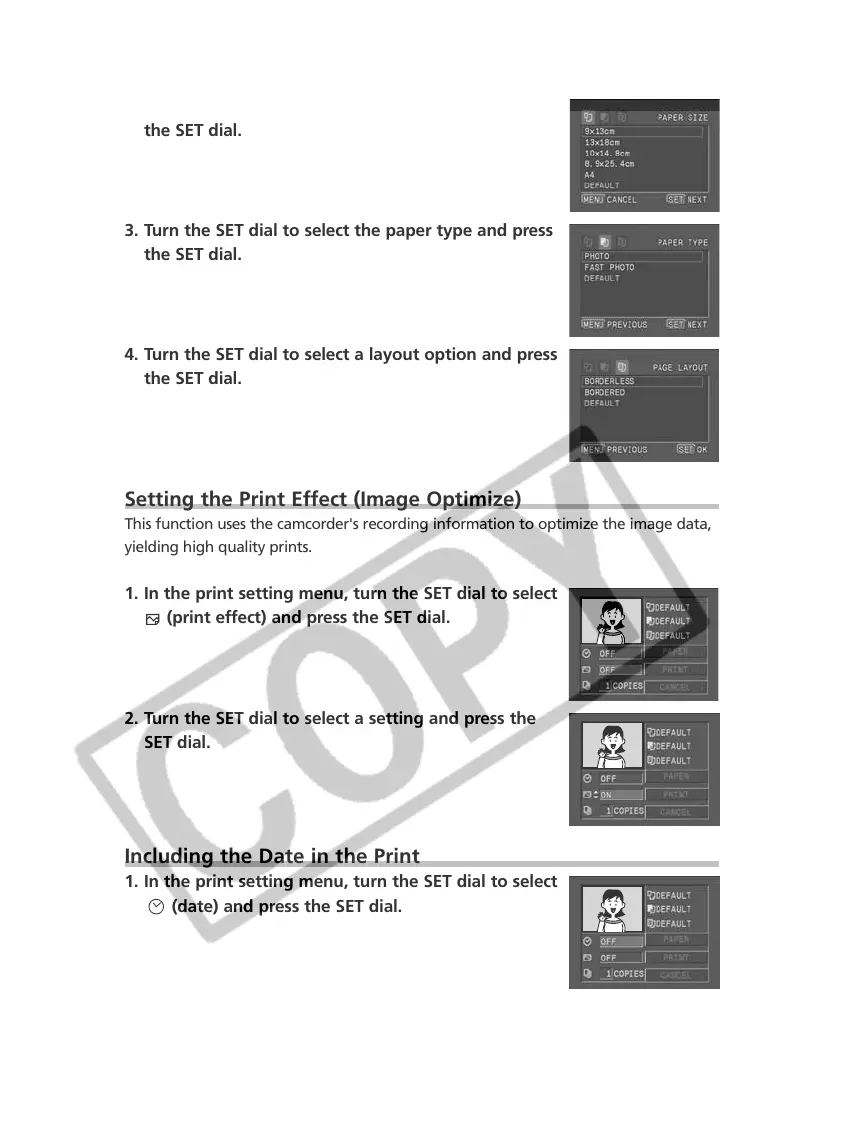
2. Turn the SET dial to select the paper size and press
the SET dial.
3. Turn the SET dial to select the paper type and press
the SET dial.
4. Turn the SET dial to select a layout option and press
the SET dial.
Setting the Print Effect (Image Optimize)
This function uses the camcorder's recording information to optimize the image data,
yielding high quality prints.
1. In the print setting menu, turn the SET dial to select
(print effect) and press the SET dial.
2. Turn the SET dial to select a setting and press the
SET dial.
Including the Date in the Print
1. In the print setting menu, turn the SET dial to select
(date) and press the SET dial.


 To Next Page
 Loading...