31
Basic Functions -
Recording
E
Digital Zoom
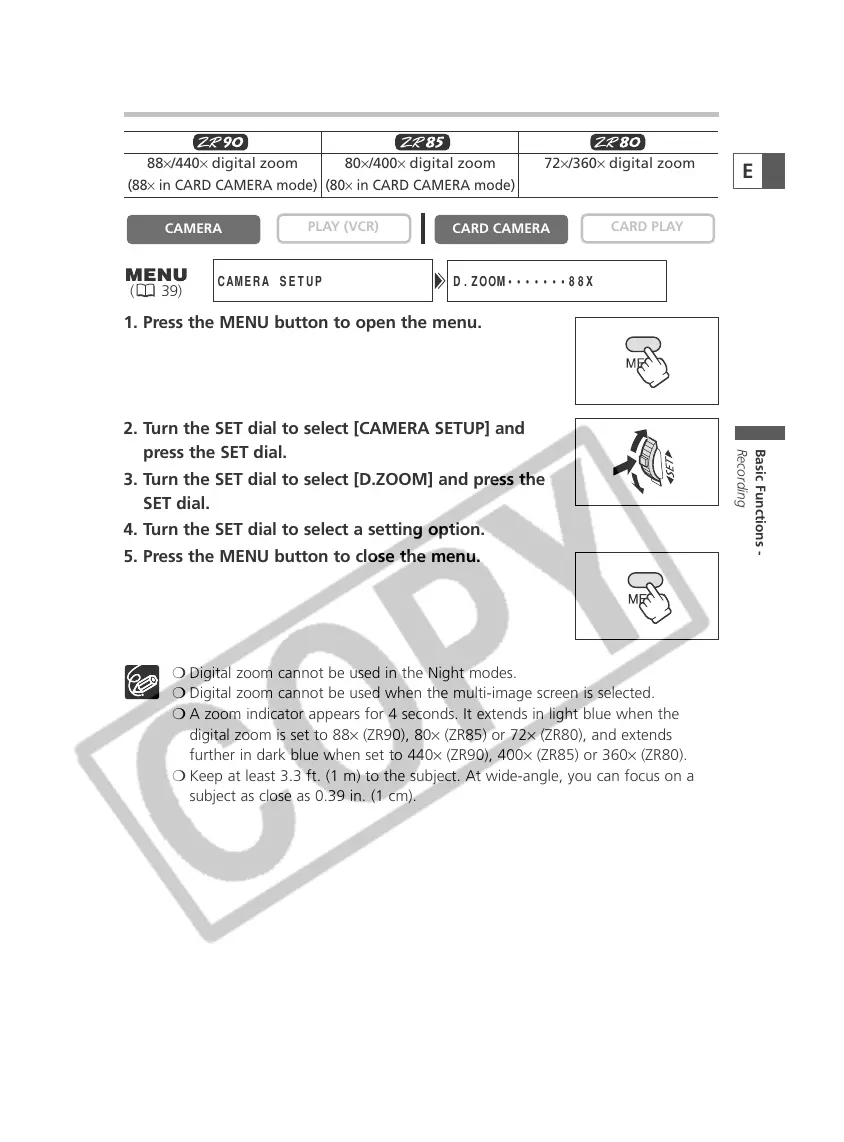
1. Press the MENU button to open the menu.
2. Turn the SET dial to select [CAMERA SETUP] and
press the SET dial.
3. Turn the SET dial to select [D.ZOOM] and press the
SET dial.
4. Turn the SET dial to select a setting option.
5. Press the MENU button to close the menu.
❍ Digital zoom cannot be used in the Night modes.
❍ Digital zoom cannot be used when the multi-image screen is selected.
❍ A zoom indicator appears for 4 seconds. It extends in light blue when the
digital zoom is set to 88× (ZR90), 80× (ZR85) or 72× (ZR80), and extends
further in dark blue when set to 440× (ZR90), 400× (ZR85) or 360× (ZR80).
❍ Keep at least 3.3 ft. (1 m) to the subject. At wide-angle, you can focus on a
subject as close as 0.39 in. (1 cm).
PLAY (VCR)
CAMERA
D.ZOOM•••••••88X
CAMERA SETUP
( 39)
88×/440× digital zoom 80×/400× digital zoom 72×/360× digital zoom
(88× in CARD CAMERA mode) (80× in CARD CAMERA mode)


 To Next Page
 Loading...