USB to Serial Converters Manual
Version 2.0
Document Reference No.: CP_000032 Clearance No.: CP#022
Copyright © Connective Peripherals Pte Ltd 33
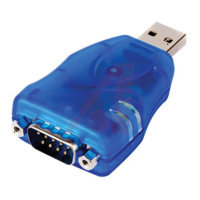
RS232 Pin-Out (ES-U-2101-MB)
The ES-U-2101-MB has a reduced set of signals which are shown in the table below. It includes the most
commonly used signals TxD/RxD/RTS/CTS/Gnd.
Note that the other pins of the connector must be left unconnected as indicated below.
GND = RS232 signal ground
Table 12 - RS-232 Pin-Out for DB-9 connector on ES-U-2101-MB
RJ45 connector
The table below shows the pin-out of the RJ45 connectors used on the ES-U-1032-RM converter.
This converter is also provided with adapter cables which convert the RJ45 into a DB-9 connector. This
connector uses the same pin-out as in Table 11 above but the Ring Indicator signal is not available as it is
not brought out on the RJ45 connector.
Figure 23 -RJ45 Connector Pin Numbers
DTR = Data Terminal Ready
GND = RS232 signal ground


 To Next Page
 Loading...