SiBE18-821_C Service Check Function
Troubleshooting 343
2.2 SA Indoor Unit - FFQ, FCQ, FDBQ, FBQ, FHQ Series
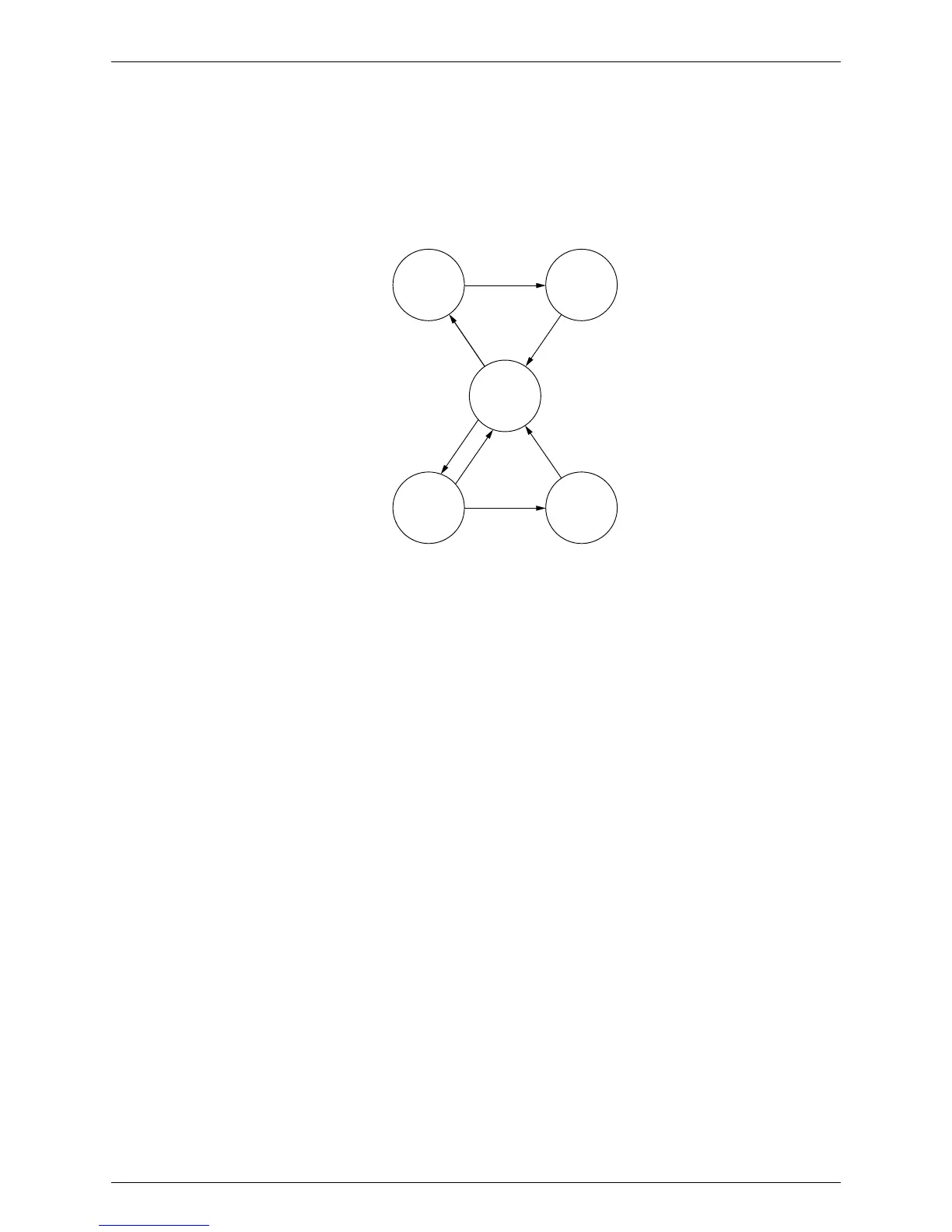
2.2.1 Relations between Modes
BRC1D528, BRC7E530W, BRC7F532F, BRC7EA63W
The following modes can be selected by using the [Inspection / Test] button on the remote
controller.
Press the [Inspection / Test] button once.
(R11277)
Press the [Inspection / Test] button once.
After 10 seconds
Thermostat is forcibly turned on.
Press the [Inspection / Test]
button for more than 4 seconds.
Field
setting
mode
Service
mode
Normal
mode
Trial
operation
mode
Inspection
mode
Press the [Inspection / Test]
button once.
Press the [Inspection / Test]
button for more than 4 seconds.
Press the [Inspection / Test] button once
or leave the remote controller untouched
for 30 minutes.
Indoor unit settings can be made.
z Filter cleaning sign time
z Others
Service data can be obtained.
z Error code history
z Temperature data of various sections
Service settings can be made.
z Forced fan ON
z Airflow rate setting
Following codes can be checked.
z Error codes
z Indoor model code



 To Next Page
 Loading...
