66 M-Class
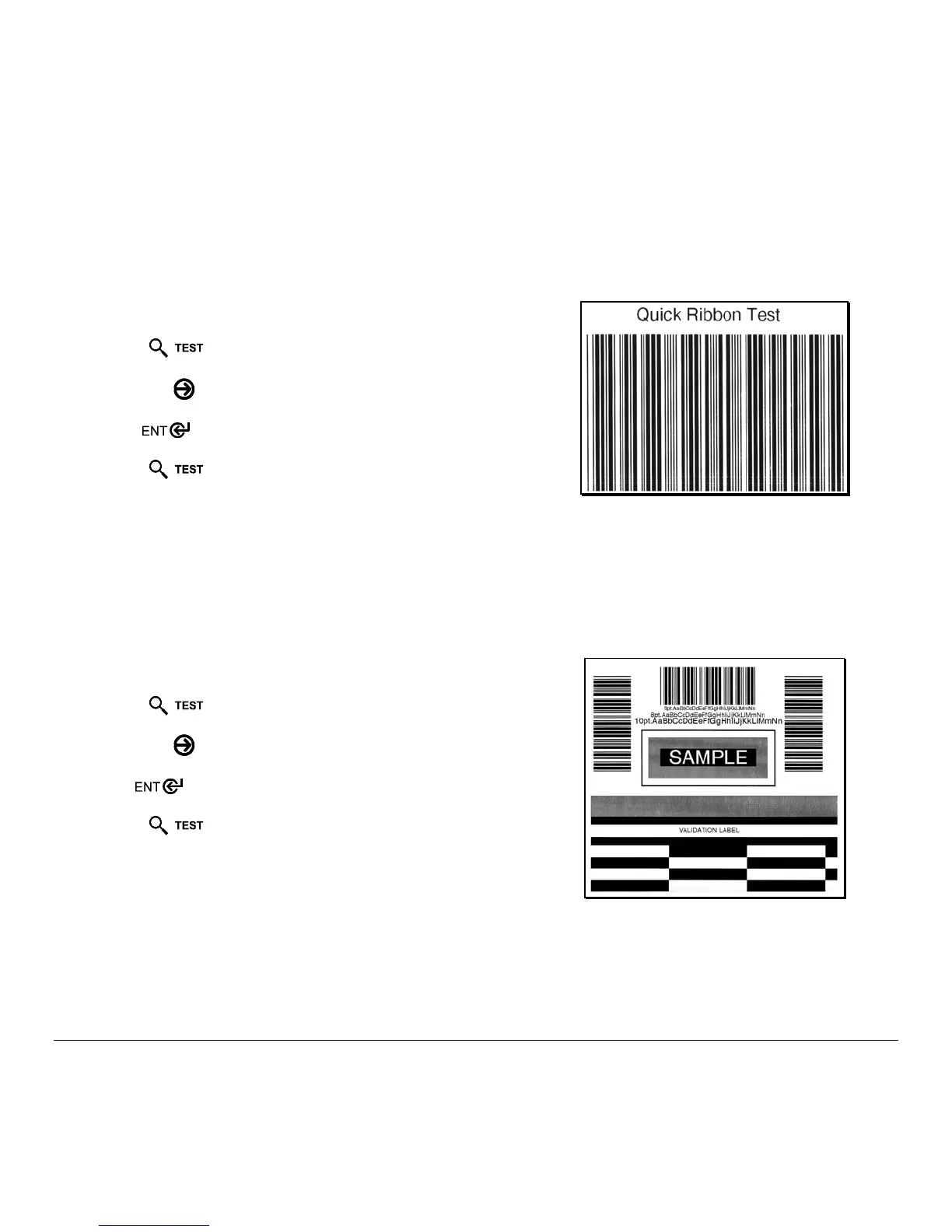
5.3.3 Quick Ribbon Test Label
The Quick Ribbon Test Label features a compliant picket-fence bar code that can be used to verify thermal transfer and
print quality functions.
To print a Quick Ribbon Test Label:
Press the
Key.
Use the
FWD
Key to scroll to ‘Ribbon Test Label’.
Use the
Key to select a quantity; see Section 5.0.3.
Press the
Key to start printing.
5.3.4 Validation Label
The Validation Label is another useful tool for evaluating overall print quality.
To generate a Validation Label:
Press the
Key.
Use the
FWD
Key to scroll to ‘Validation Label’.
Use the
Key to select a quantity; see Section 5.0.3.
Press the
Key to start printing.


 To Next Page
 Loading...