3 Close the rear duplex door.
4 Press .
Front paper jams
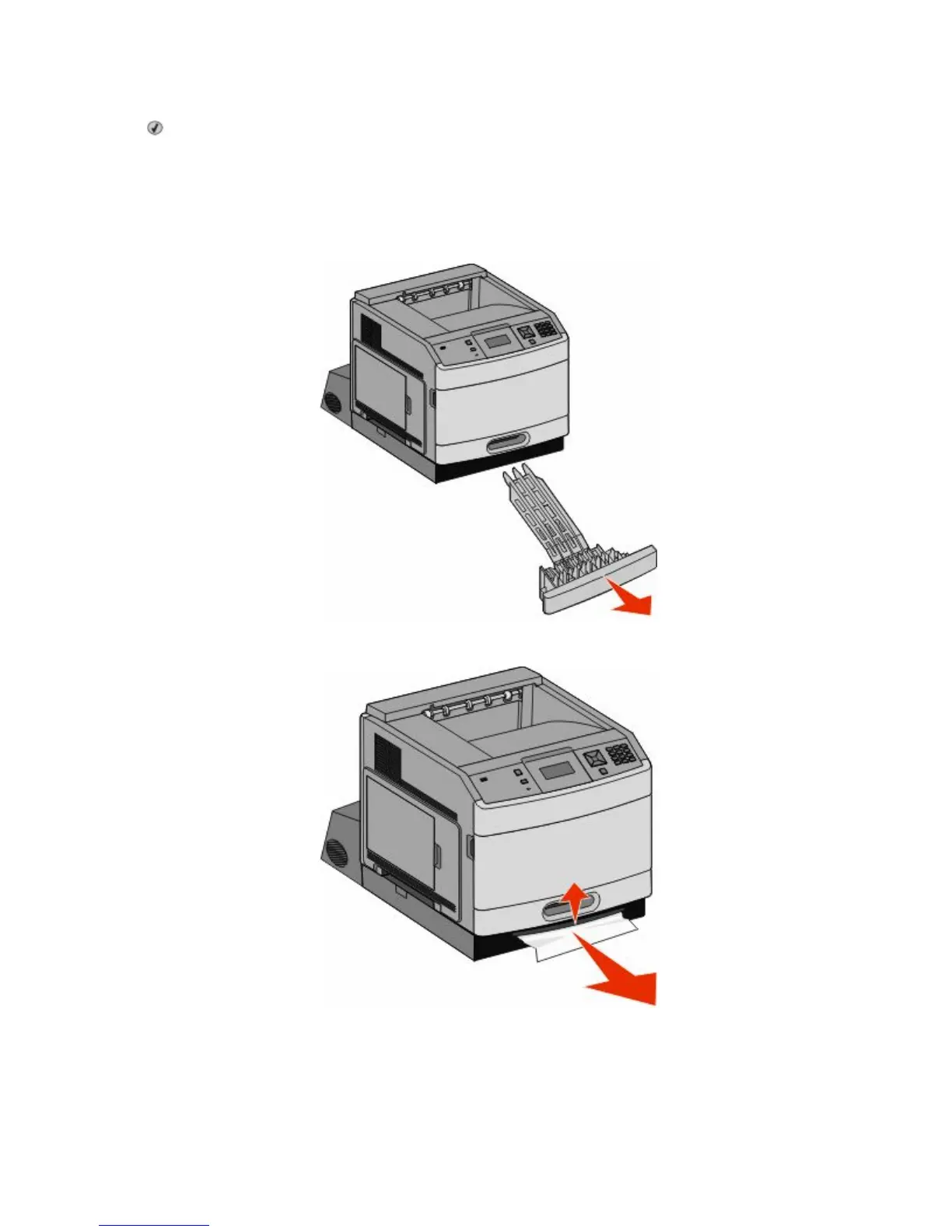
1 Remove the standard tray from the printer.
2 Remove the duplex jam access tray.
3 Raise the recessed duplex bar.
4 Remove the jammed paper.
5 Replace the duplex jam access tray.
Clearing jams
85


 To Next Page
 Loading...