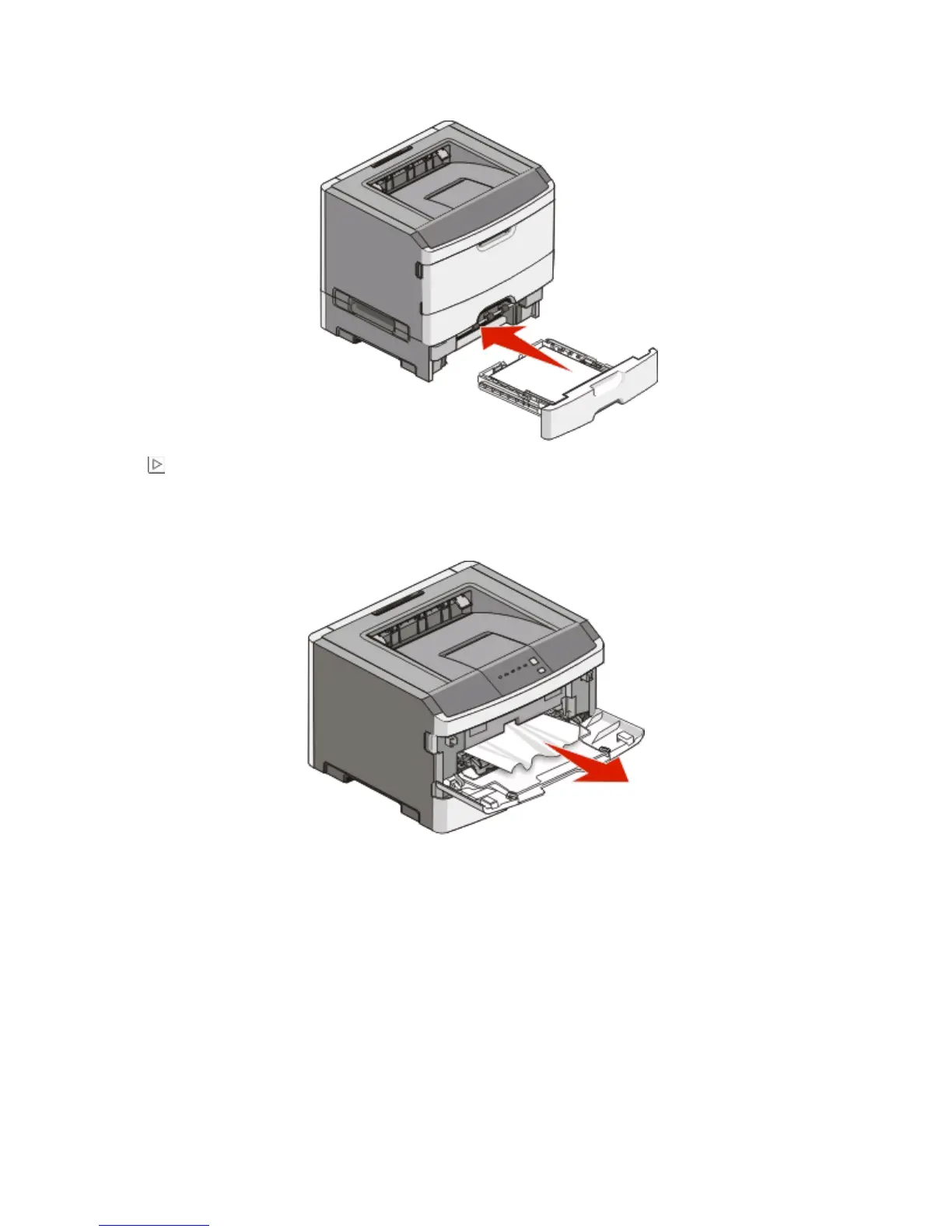
3 Insert the tray.
4 Press to continue printing.
Clearing jams in the manual feeder
Paper jammed in the manual feeder can usually be grasped and pulled straight out. If the jam cannot be removed
this way, check for jammed paper behind the photoconductor kit and toner cartridge unit. For more information,
see “Clearing jams behind the photoconductor kit and toner cartridge” on page 102.
Clearing jams
107


 To Next Page
 Loading...








