25
3
2
1
Before Using This Machine - DC545 HCEX
2
This section describes the operating sequence from turning ON the power switch until the machine is ready to operate,
and how to turn OFF the power.
Turning ON the Power
○○○○○○○○○○○○○○○○○○○○○○○○○○○○○○○○○
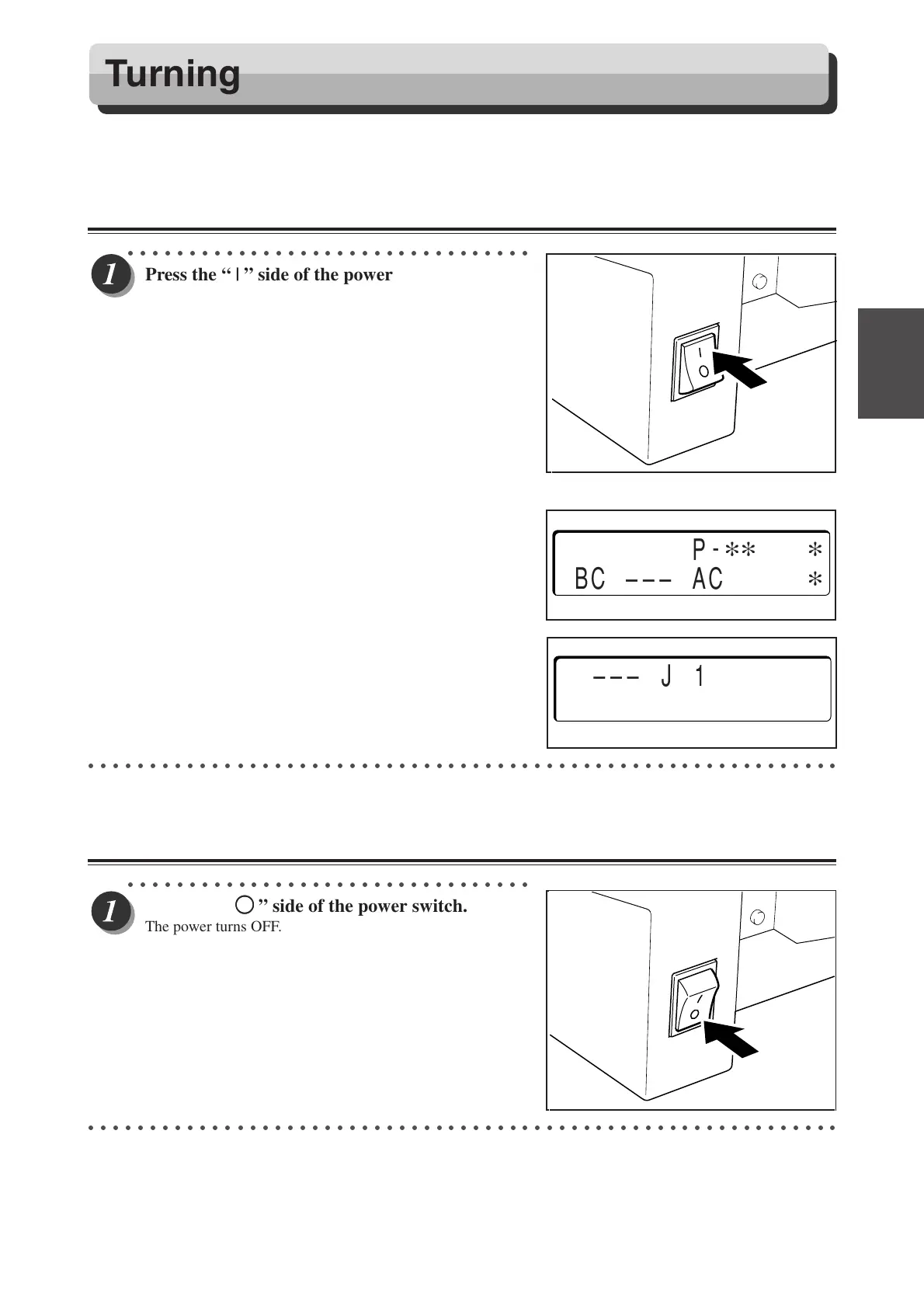
Press the “ | ” side of the power switch.
The power turns ON.
The illustration on the right shows what is displayed on the
LCD panel.
** denotes a preset number (01-80).
The illustration on the right shows that paper remains in the
machine. If this screen is displayed, remove them.
(a P.25, “When “REJECT PAPER” is Displayed”)
○○○○○○○○○○○○○○○○○○○○○○○○○○○○○○○○○○○○○○○○○○○○○○○○○○○○○○○○○○○○○
Turning OFF the Power
○○○○○○○○○○○○○○○○○○○○○○○○○○○○○○○○○
Press the “
KK
KK
K ” side of the power switch.
The power turns OFF.
○○○○○○○○○○○○○○○○○○○○○○○○○○○○○○○○○○○○○○○○○○○○○○○○○○○○○○○○○○○○○
Turning Power ON/OFF
[
RUN
]
P
-
∗∗
∗
BC ––– AC
∗
––– J 1 –––
REJECT PAPER
Docu Cutter(HCEX) 2_18-25 03.12.8, 3:09 PM25



 To Next Page
 Loading...



