FIRMWARE UPDATES AND FACTORY RESTORE
As noted in the introduction, Rumble Studio 40/Stage 800 users should check regularly for rmware updates
that improve and enhance the Rumble Studio 40/Stage 800 experience. To perform a Rumble Studio 40/
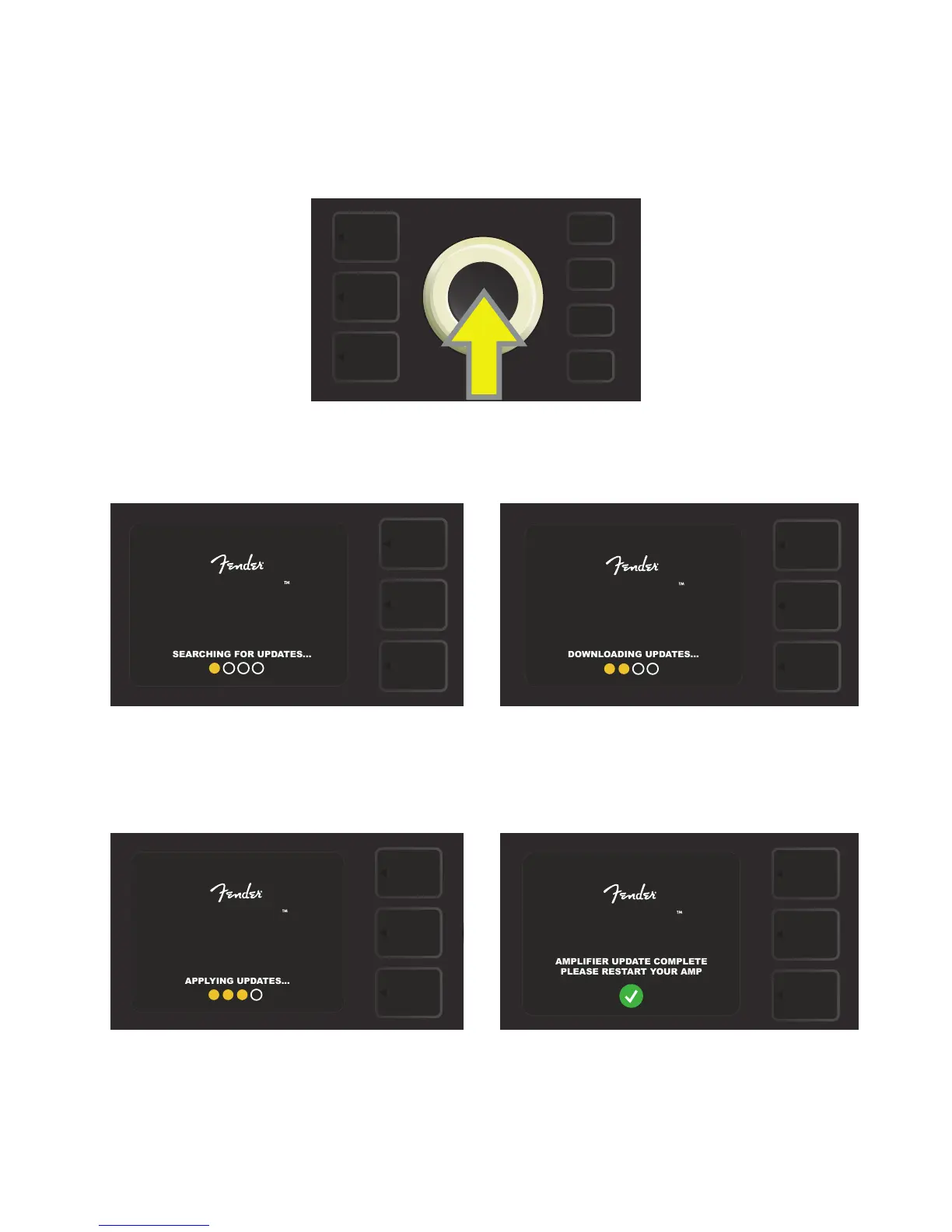
Stage 800 rmware update, put the amp in WiFi update mode by pressing and holding the ENCODER for ve
seconds (yellow arrow in illustration below) while turning the amplier on.
The DISPLAY WINDOW will then indicate that Rumble Studio 40/Stage 800 is searching for the latest rmware
update, followed by indication that the rmware update is downloading (see illustrations below).
When the download is complete, the DISPLAY WINDOW will then indicate that Rumble Studio 40/Stage 800
is applying the rmware update, followed by indication that the rmware update is complete and the amp
must be restarted (see illustrations below).
61
RUMBLE
RUMBLE
RUMBLE
AMPLIFIER UPDATE COMPLETE
PLEASE RESTART YOUR AMP
RUMBLE


 To Next Page
 Loading...











