nüvi 2405/2505 Series Owner’s Manual 27
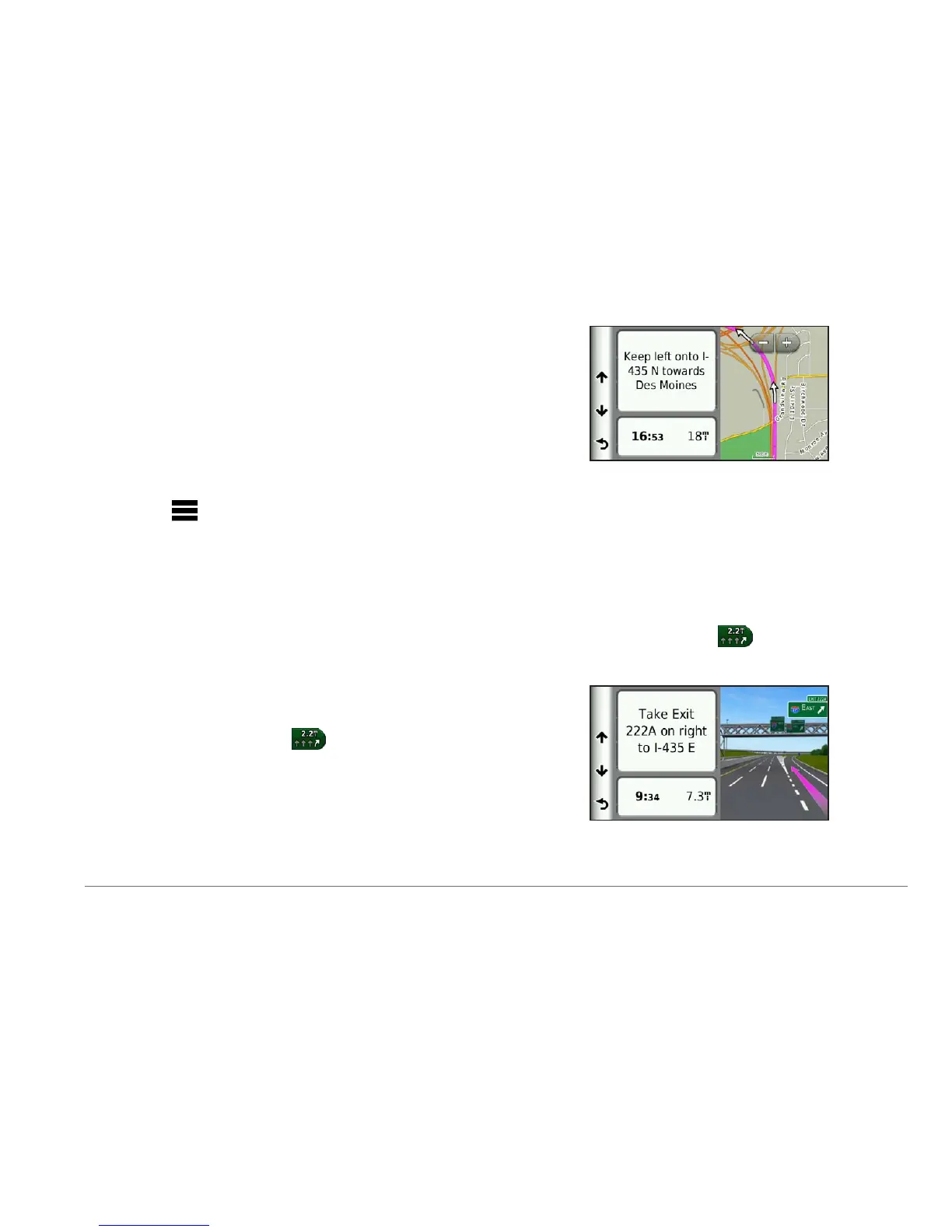
The details for the turn appear. If available,
an image of the junction appears for
junctions on major roadways.
Viewing the Entire Route on the Map
1
While navigating an automobile route, select
the navigation bar at the top of the map.
2
Select > Map.
Viewing the Next Turn
While navigating an automobile route, a preview
of the next turn, lane change, or other maneuver
appears in the upper-left corner of the map.
The preview includes the distance to the turn or
maneuver and the lane in which you should be
traveling, if available.
From the map, select
to view the next
turn on the map.
Viewing Junctions
While navigating an automobile route, you can
view the junctions on major roadways. When
you approach a junction in a route, the image of
that junction appears briey, if available.
From the map, select
to view the
junction, if available.


 To Next Page
 Loading...