28 nüvi 2405/2505 Series Owner’s Manual
Viewing Trafc Alerts
While you navigate an automobile route, a trafc
alert may appear in the navigation bar.
Select the alert to view more information.
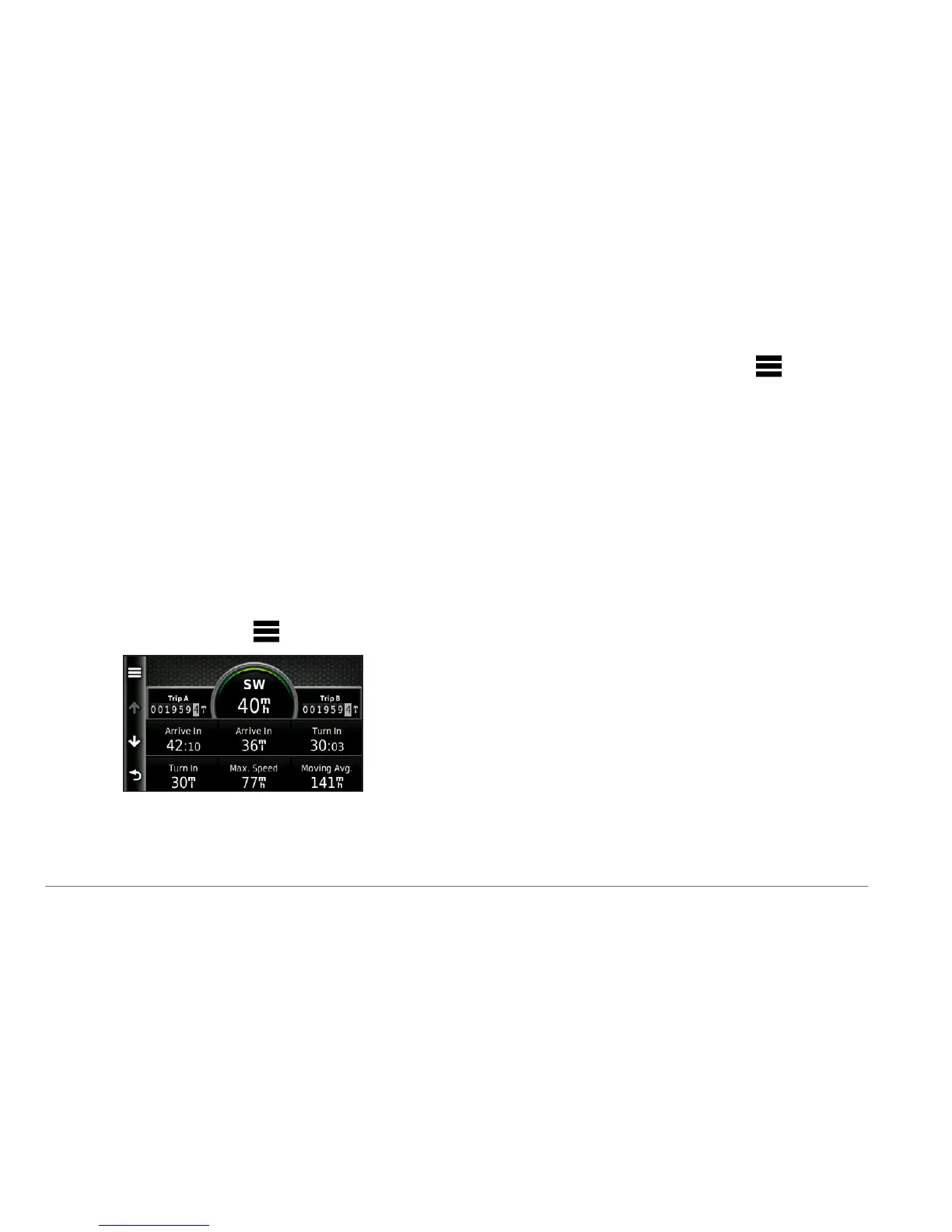
Viewing Trip Information
The trip information page displays your present
speed and provides statistics about your trip.
TIP: If you make frequent stops, leave the
device turned on so it can accurately measure
elapsed time during the trip.
From the map, select
> Trip Computer.
Resetting Trip Information
1
From the map, select Speed > .
2
Select an option:
• When not navigating a route, select
Reset All to reset every data eld,
except the speedometer, on the page.
• Select Reset Trip Data to reset the
information on the trip computer.
• Select Reset Max� Speed to reset the
maximum speed.
• Select Reset Trip B to reset the
odometer.


 To Next Page
 Loading...