69
③ Change the memory switch data.
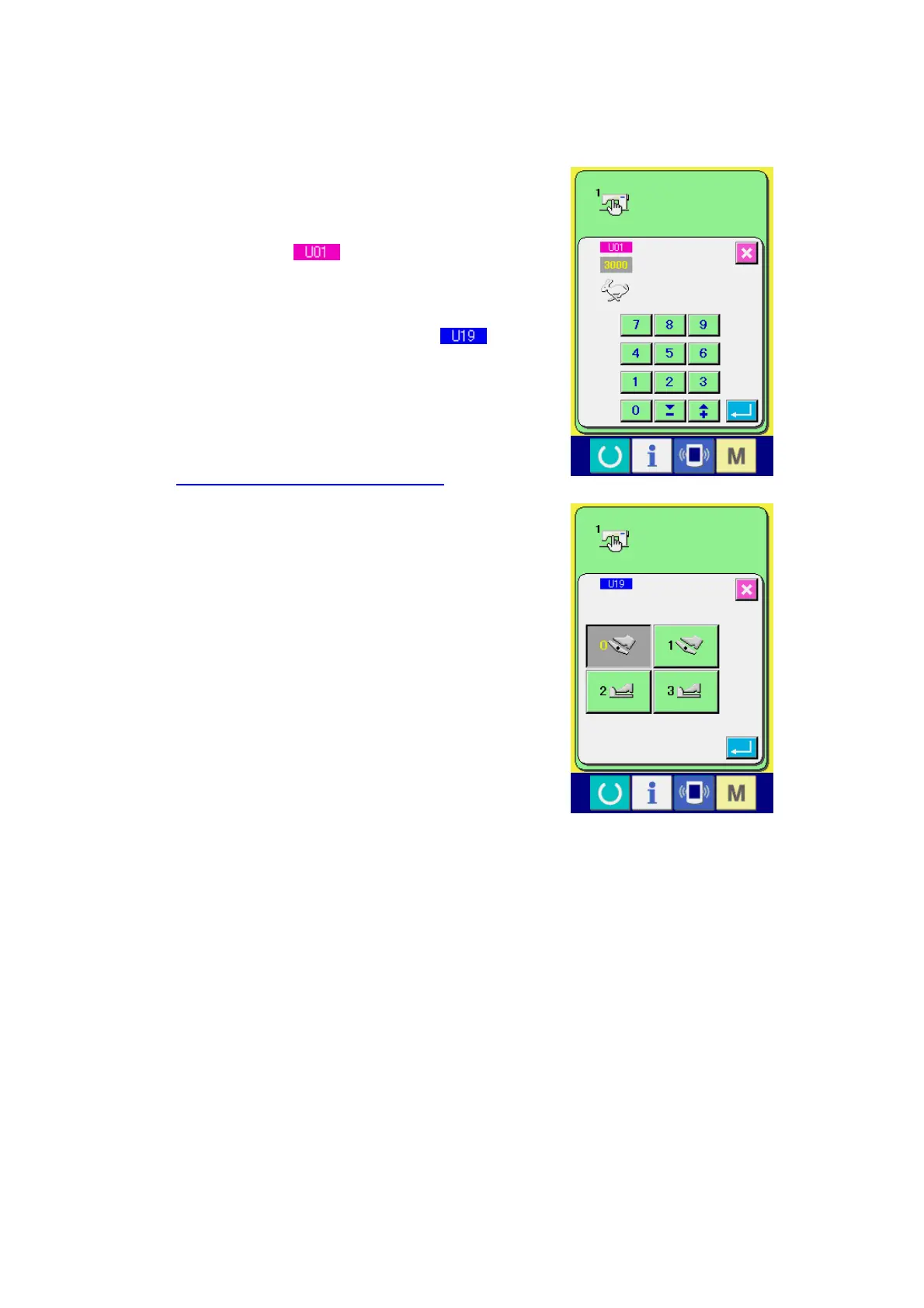
There are data items to change numerals and those
to select pictographs in the memory switch data. No.
in pink color such as
is put on the data items
to change numerals and the set value can be
changed with TEN keys and +/- keys displayed in the
change screen. No. in blue color such as
is
put on the data items to select pictographs and the
pictographs displayed in the change screen can be
selected.
→ For the details of memory switch data, refer to
23-2 Memory switch data list, p.71.



 To Next Page
 Loading...