21/25
Basic Operations
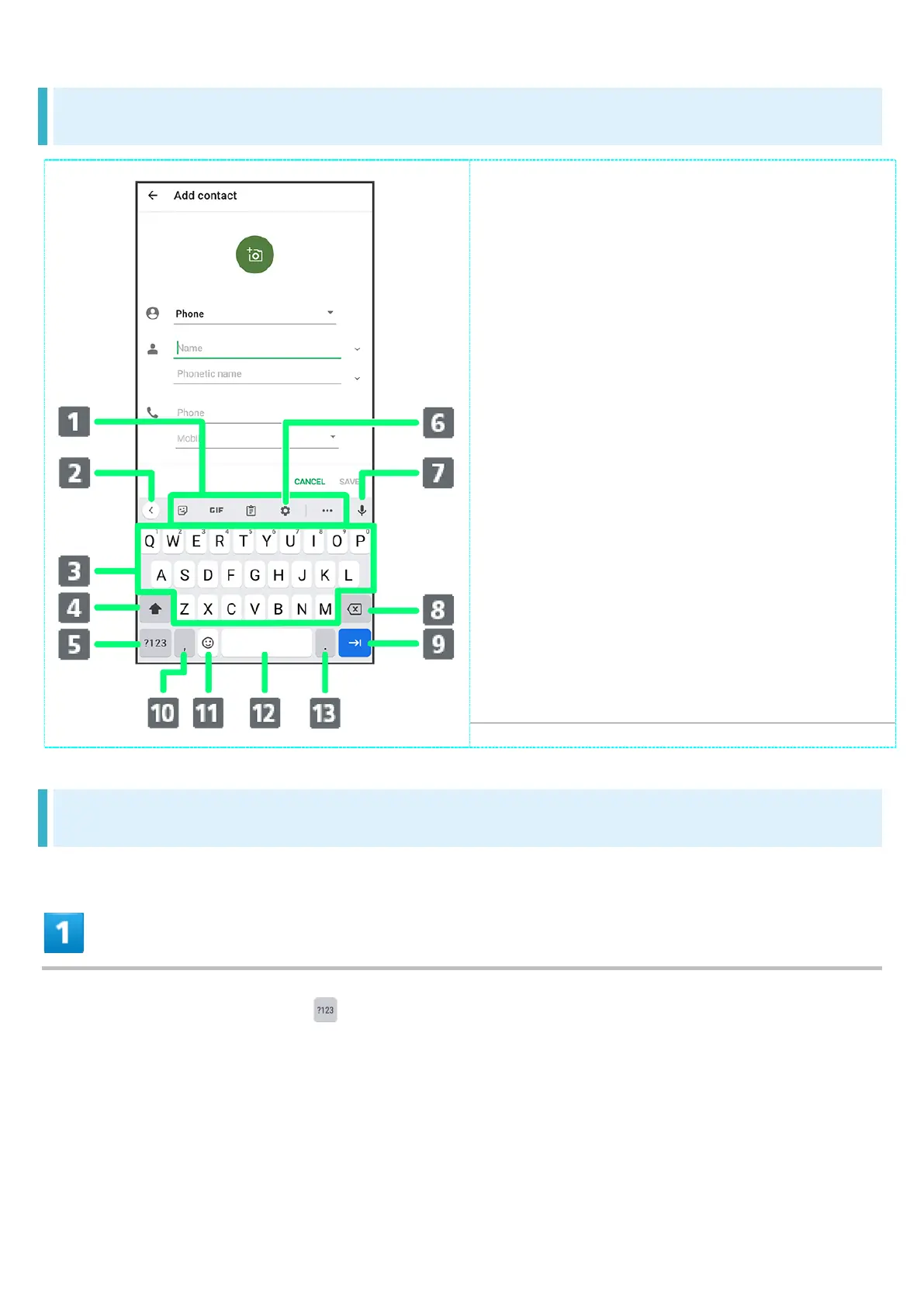
QWERTY Keyboard Layout
Shortcuts for frequently used
functions (Toolbar)
Show/Hide Toolbar
Enter characters
Toggle uppercase/lowercase
Switch to number/symbol keyboard
Show settings menu
Activate voice input
Delete character to left of cursor
Insert line break or move to next
entry field ; confirm current characters
Enter a ","; Long Touch for settings
menu / enable One-handed mode
Enter emoji / stickers / GIFs /
emoticons
Enter space
Enter a "." ; Long Touch for
symbols
Switching Keyboards
In a text entry window, Tap


 To Next Page
 Loading...








