GG
Do not use the CABLE MANAGEMENT CLIP to lift the TV.
- If the TV is dropped, you may be injured or the TV may be damaged.
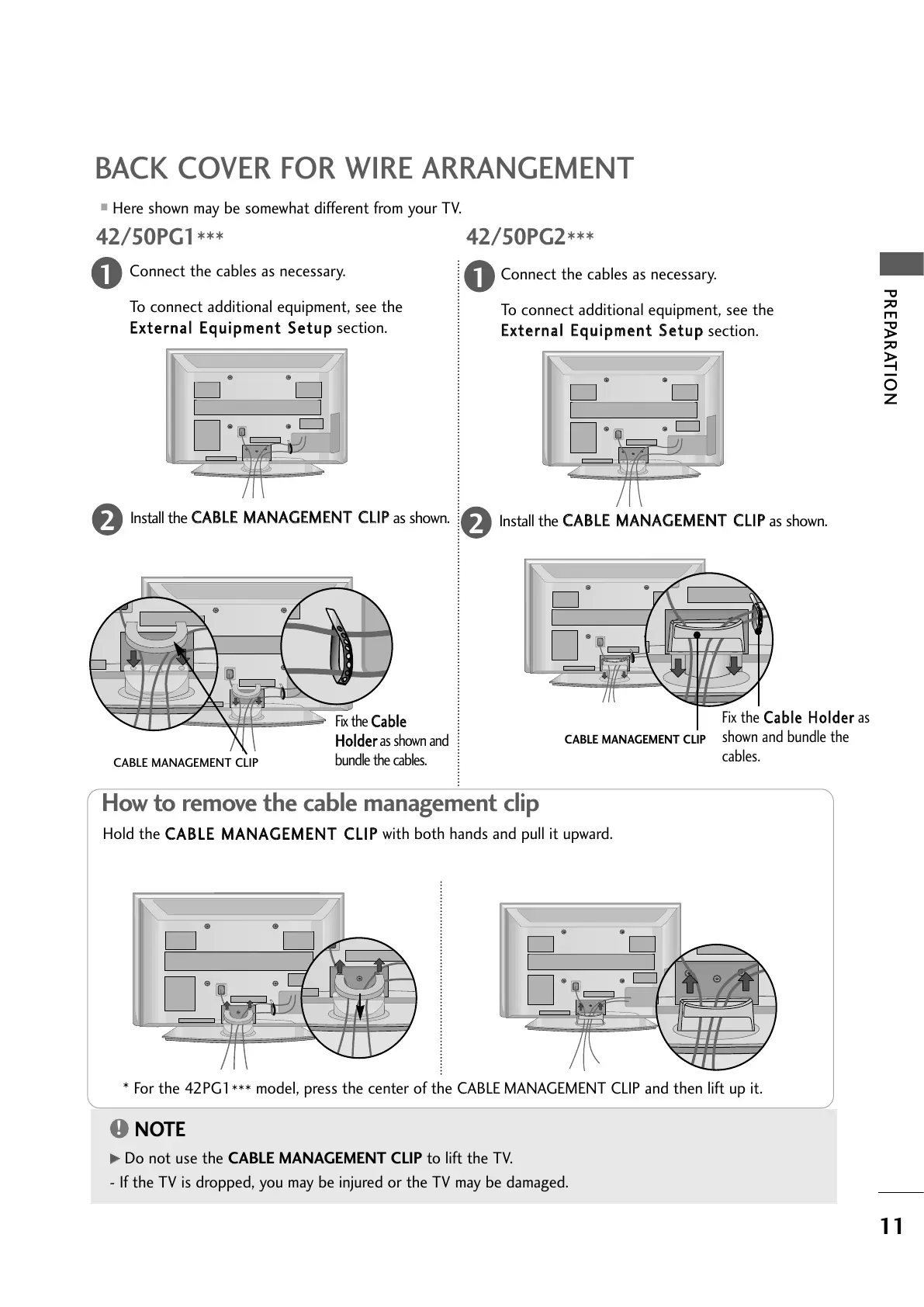
BACK COVER FOR WIRE ARRANGEMENT
■
Here shown may be somewhat different from your TV.
Connect the cables as necessary.
To connect additional equipment, see the
EExxtteerrnnaall EEqquuiippmmeenntt SSeettuupp
section.
1
Install the
CCAABBLLEE MMAANNAAGGEEMMEENNTT CCLLIIPP
as shown.
2
Install the
CCAABBLLEE MMAANNAAGGEEMMEENNTT CCLLIIPP
as shown.
2
Hold the
CCAABBLLEE MMAANNAAGGEEMMEENNTT CCLLIIPP
with both hands and pull it upward.
How to remove the cable management clip
CABLE MANAGEMENT CLIP
* For the 42PG1
***
model, press the center of the CABLE MANAGEMENT CLIP and then lift up it.
Fix the
CCaabbllee
HHoollddeerr
as shown and
bundle the cables.
Connect the cables as necessary.
To connect additional equipment, see the
EExxtteerrnnaall EEqquuiippmmeenntt SSeettuupp
section.
1
42/50PG2
***
42/50PG1
***
CABLE MANAGEMENT CLIP
Fix the
CCaabbllee HHoollddeerr
as
shown and bundle the
cables.


 To Next Page
 Loading...