8
Introduction
Basic Operations
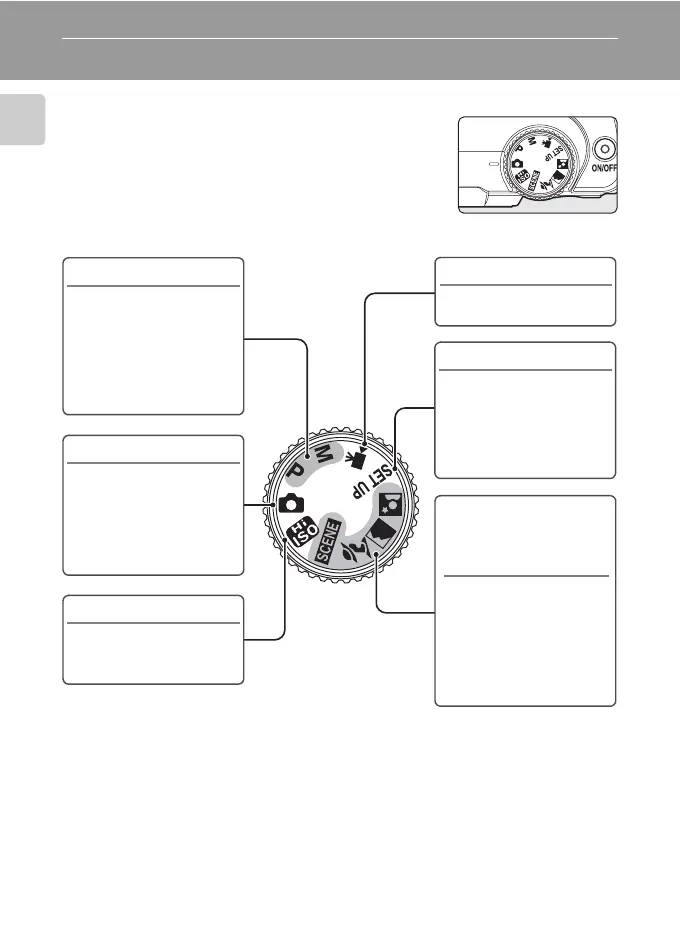
The Mode Dial
Align the mode icon with the mark next to the mode
dial.
b Portrait,
c Landscape,
e Night portrait,
y Scene (A 31)
Choose this mode for
automatic adjustment of
settings to suit the
selected subject type, or
use the voice recording
option to record sound
only.
P, M (A 41, 42)
Adjust shooting menu
settings such as white
balance and ISO
sensitivity, as well as the
continuous shooting
mode for P (programmed
auto) or M (manual) mode.
A Auto (A 18)
Choose this simple “point-
and-shoot” mode, suited
to first-time users of digital
cameras, in which the
camera automatically
adjusts settings.
B High sensitivity (A 40)
Choose this mode to
reduce blur when the
subject is poorly lit.
D Movie (A 56)
Choose this mode to shoot
movies.
z Setup (A 80)
Display the setup menu,
where you can perform
such tasks as setting the
camera clock and
adjusting monitor
brightness.


 To Next Page
 Loading...









