12
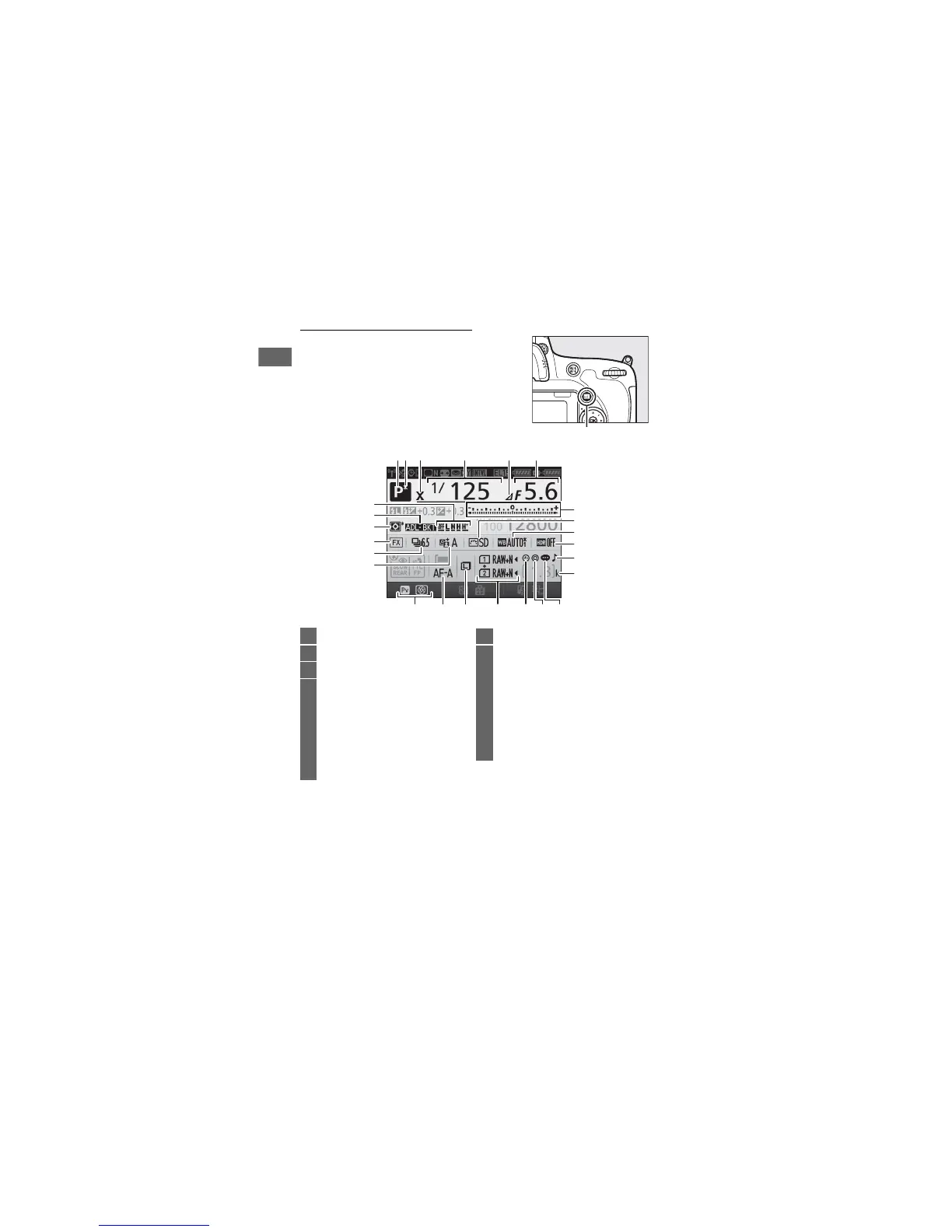
The Information Display
Press the R button to display shutter
speed, aperture, the number of
exposures remaining, AF-area mode, and
other shooting information in the
monitor.
R button
2 34561
10
11
12
1314
15161718
22
23
24
25
20
21
7
19
8
9
1 Shooting mode ..... 6, 34, 41, 46, 88
2 Flexible program indicator..........89
3 Flash sync indicator.................... 345
4 Shutter speed ..........................90, 93
Number of shots in exposure and
flash bracketing sequence...... 203
Number of shots in WB bracketing
sequence ..................................... 208
Focal length (non-CPU
lenses) .......................................... 235
5 Aperture stop indicator ......92, 431
6 Aperture (f-number).............. 91, 93
Aperture (number of
stops)......................................92, 431
Bracketing increment....... 204, 209
Number of shots in ADL
bracketing sequence................ 212
Maximum aperture (non-CPU
lenses).......................................... 238


 To Next Page
 Loading...