421
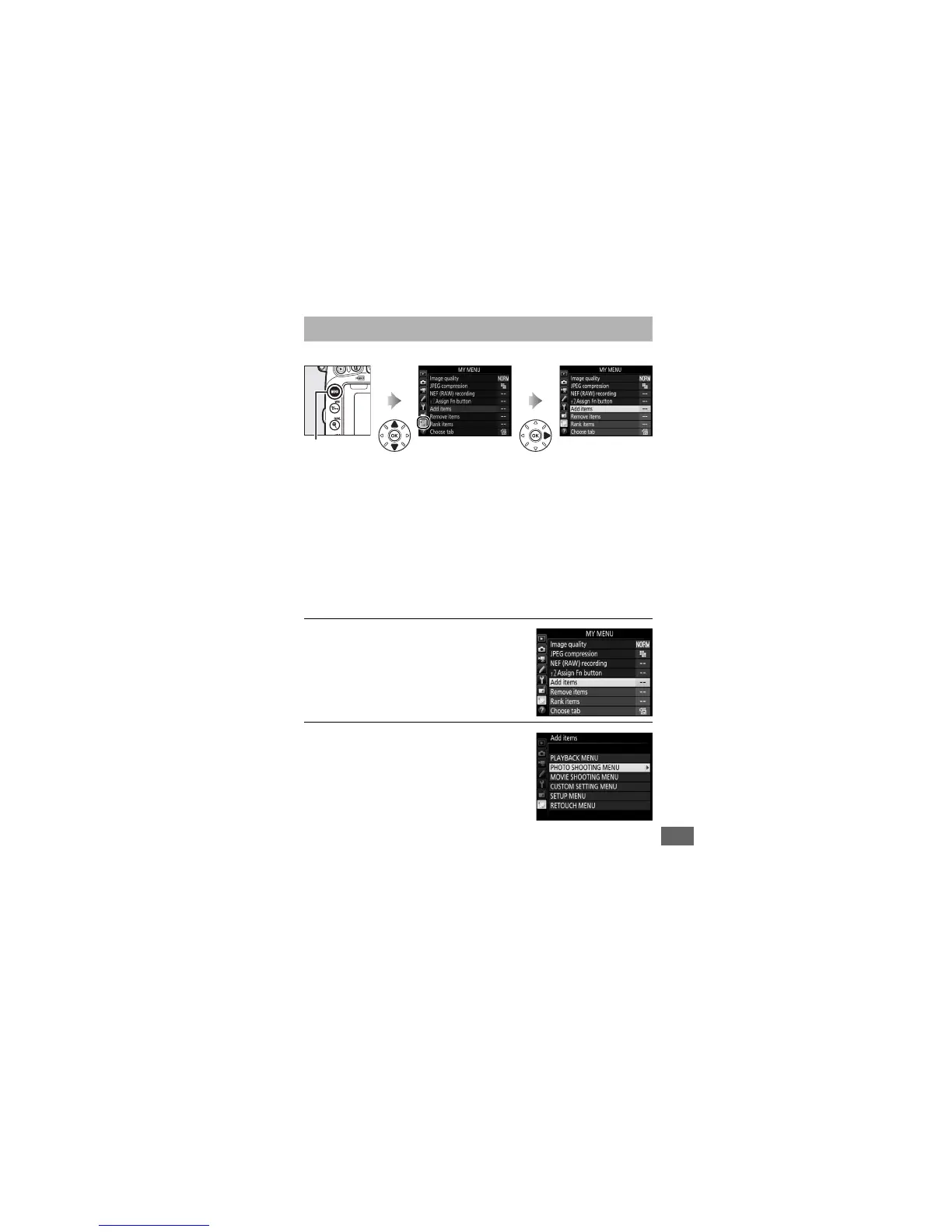
To display My Menu, press G and select the O (My Menu) tab.
The MY MENU option can be used to create and edit a
customized list of options from the playback, photo shooting,
movie shooting, Custom Settings, setup, and retouch menus for
quick access (up to 20 items).
If desired, recent settings can be
displayed in place of My Menu (0 425).
Options can be added, deleted, and reordered as described
below.
❚❚ Adding Options to My Menu
1 Select Add items.
In My Menu (O), highlight Add items
and press 2.
2 Select a menu.
Highlight the name of the menu
containing the option you wish to add
and press 2.
O My Menu/m Recent Settings
G button


 To Next Page
 Loading...