38
VL-SVN511BX/VL-SVN511CX/VL-SVN511CX1
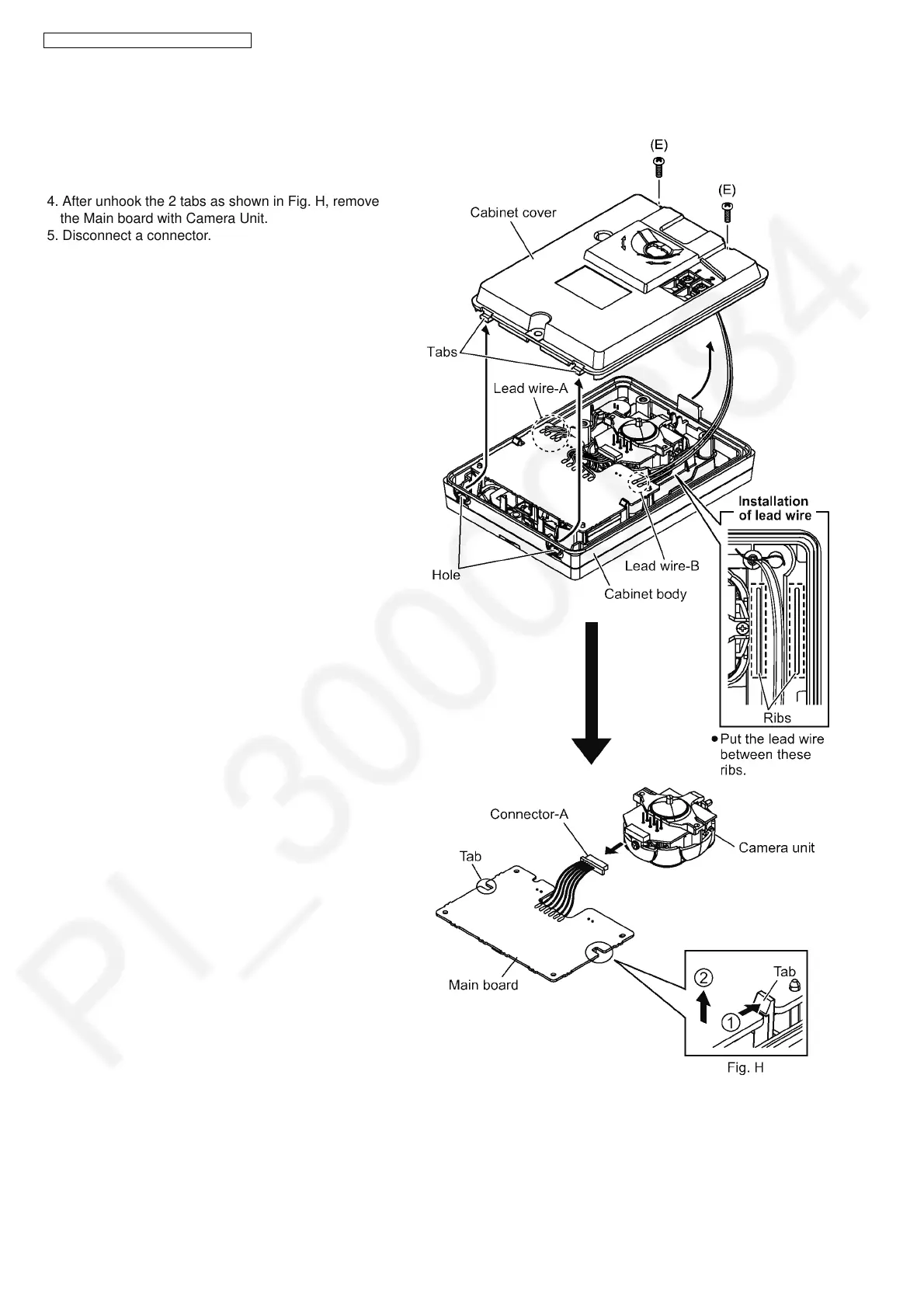
9.2.2. How to Remove the Main Board and Camera Unit [No.2]
Procedure No.1No.2
1. Remove 2 screws (E).
2. Please remove the cabinet cover from cabinet body
with care to the tabs.
3. Remove the solder on the lead wire-A and lead wire-B.
4. After unhook the 2 tabs as shown in Fig. H, remove
the Main board with Camera Unit.
5. Disconnect a connector.


 To Next Page
 Loading...