EasyManua.ls Logo

Sony BDP-S360 - Playback Operations: Menus and BD-LIVE

Sony BDP-S360
84 pages
Print Icon
To Next Page IconTo Next Page
To Previous Page IconTo Previous Page
Loading...
32
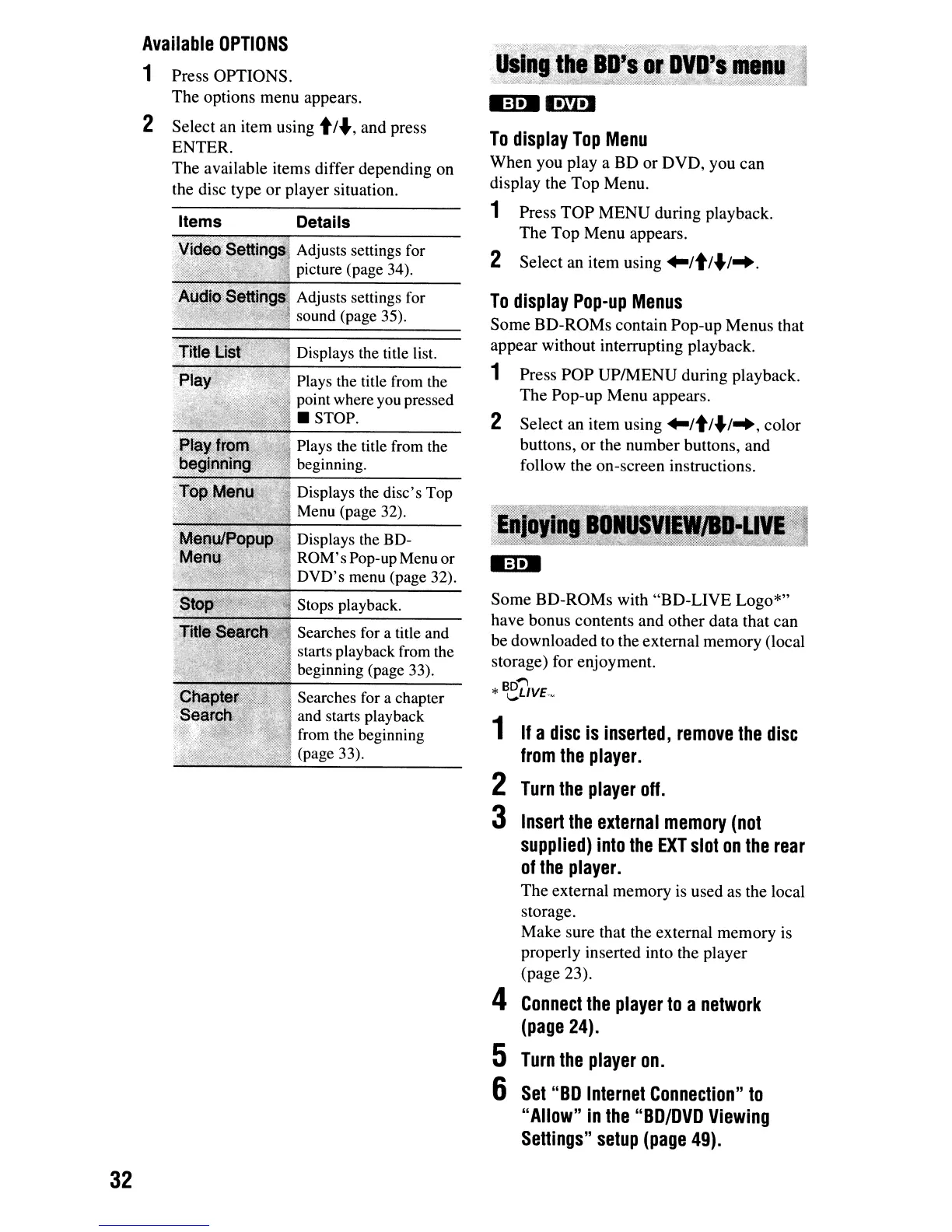
Available
OPTIONS
1 Press
OPTIONS.
The
options
menu
appears.
2
Select
an
item
using
t/",
and
press
ENTER.
The
available
items
differ
depending
on
the disc
type
or
player
situation.
Details
Adjusts settings for
picture (page 34).
Adjusts settings for
sound (page 35).
Displays the title list.
Plays the title from the
point where you pressed
STOP.
Plays the title from the
beginning.
Displays the
disc's
Top
Menu (page 32).
Displays the BD-
ROM's
Pop-up Menu or
DVD's
menu (page 32).
Stops playback.
Searches for a title and
starts playback from the
beginning (page 33).
Searches for a chapter
and starts playback
from the beginning
(page 33).
To
display
Top
Menu
When
you
playa
BD
or
DVD,
you
can
display the
Top
Menu.
1 Press
TOP
MENU
during
playback.
The
Top
Menu
appears.
2
Select
an
item
using
~/t/"I".
To
display
Pop-up
Menus
Some
BD-ROMs
contain
Pop-up
Menus
that
appear
without
interrupting playback.
1 Press
pOP
UPIMENU
during
playback.
The
Pop-up
Menu
appears.
2
Select
an
item
using
~/t/"I",
color
buttons,
or
the
number
buttons,
and
follow the
on-screen
instructions.
Some
BD-ROMs
with
"BD-LIVE
Logo*"
have
bonus
contents
and
other
data
that
can
be
downloaded
to the
external
memory
(local
storage) for
enjoyment.
*B~DvE,"
1
If
a
disc
is
inserted,
remove
the
disc
from
the
player.
2
Turn
the
player
off.
3
Insert
the
external
memory
(not
supplied)
into
the
EXT
slot
on
the
rear
of
the
player.
The
external
memory
is used as the local
storage.
Make
sure that the external
memory
is
properly
inserted into the
player
(page
23).
4
Connect
the
player
to
a
network
(page
24).
5
Turn
the
player
on.
6
Set
"BD
Internet
Connection"
to
"Allow"
in
the
"BD/DVD
Viewing
Setlings"
setup
(page
49).

Other manuals for Sony BDP-S360

Related product manuals