49
GB
D:\NORM'S JOB\SO0135\4262412121_GB\GB04GET_STR-DH720-CEL.fm masterpage: Right
STR-DH720
4-262-412-12(1)
Tuner Operations
Listening to FM/AM radio
You can listen to FM and AM broadcasts
through the built-in tuner. Before operation, be
sure you have connected the FM and AM
antennas (aerials) to the receiver (page 32).
Tip
The tuning scale for direct tuning is shown below.
* The AM tuning scale can be changed (page 50).
1 Press GUI MODE.
Press MENU if the GUI menu does not
appear on the TV screen.
2 Select “ FM” or “ AM” from
the menu, then press or b.
The FM or AM menu list appears on the
TV screen.
1 Select “Auto Tuning”, then
press or b.
2 Press V/v.
Press V to scan from low to high, press v
to scan from high to low.
The receiver stops scanning whenever a
station is received.
In case of poor FM stereo
reception
1 Tune in the station you want to listen to
using Auto Tuning, Direct Tuning
(page 49), or select the preset station you
want (page 50).
2 Press TOOLS/OPTIONS.
3 Select “FM Mode”, then press or b.
4 Select “MONO”, then press .
You can enter the frequency of a station
directly by using the numeric buttons.
1 Select “Direct Tuning”, then
press or b.
Tuner Operations
Area FM AM
USA, Canada 100 kHz 10 kHz*
Europe 50 kHz 9 kHz
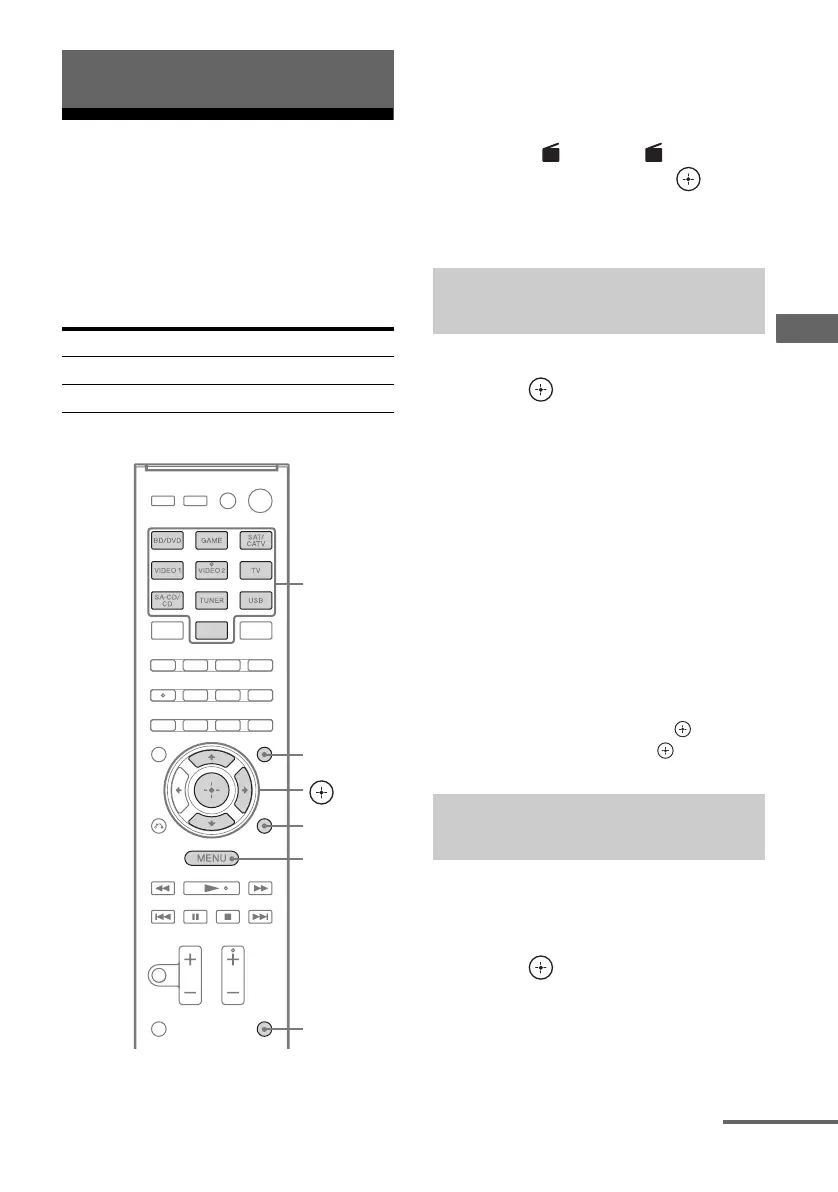
V/v/b,
GUI MODE
MENU
TOOLS/
OPTIONS
Numeric
buttons
SHIFT
Tuning to a station
automatically (Auto Tuning)
Tuning to a station directly
(Direct Tuning)
FM AM
continued


 To Next Page
 Loading...











