43
GB
Menu/Other Functions
Operating Menu on the
TV Screen
You can display the menu on the TV screen
to operate the receiver.
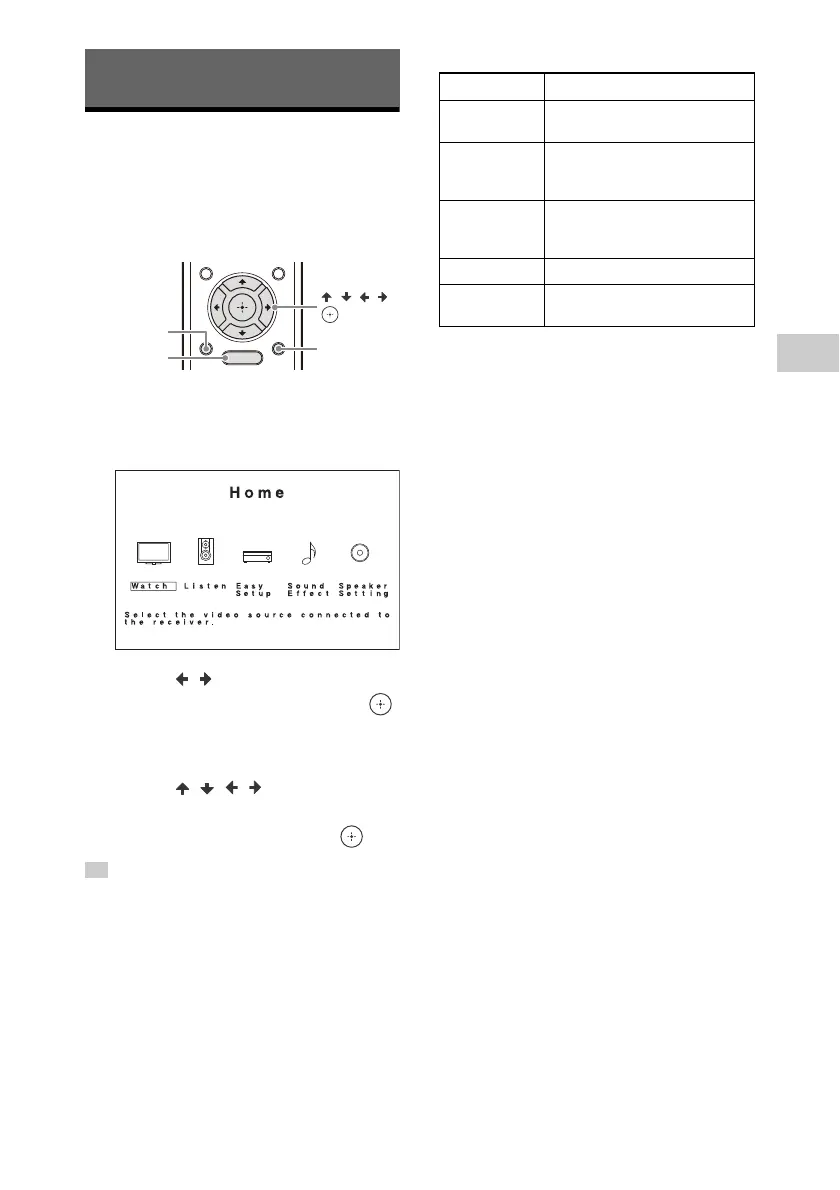
1 Press HOME.
The home menu is displayed on the TV
screen.
2 Press / to select the menu
you want, and then press .
The menu item list is displayed on the
TV screen.
3 Press / / / to select the
menu item you want to
adjust, and then press .
• You can display the function list by pressing
OPTIONS and selecting a related function.
• To return to the previous screen, press BACK.
• To exit the menu, press HOME to display the
home menu, and then press HOME again.
• You can set some functions using the display
panel on the receiver. For details, visit the Help
Guide.
Home menu items
For details on the [Sound Effect] and
[Speaker Setting] menu items, visit the
Help Guide.
Menu/Other Functions
Tip
Menu Description
Watch
Select to display video from
the connected device.
Listen
Select to listen to sound from
the built-in FM tuner or the
connected device.
Easy Setup
Select to re-run the [Easy
Setup] to make the basic
settings.
Sound Effect Select to enjoy sound effect.
Speaker
Setting
Select to adjust various
settings for speaker.


 To Next Page
 Loading...











