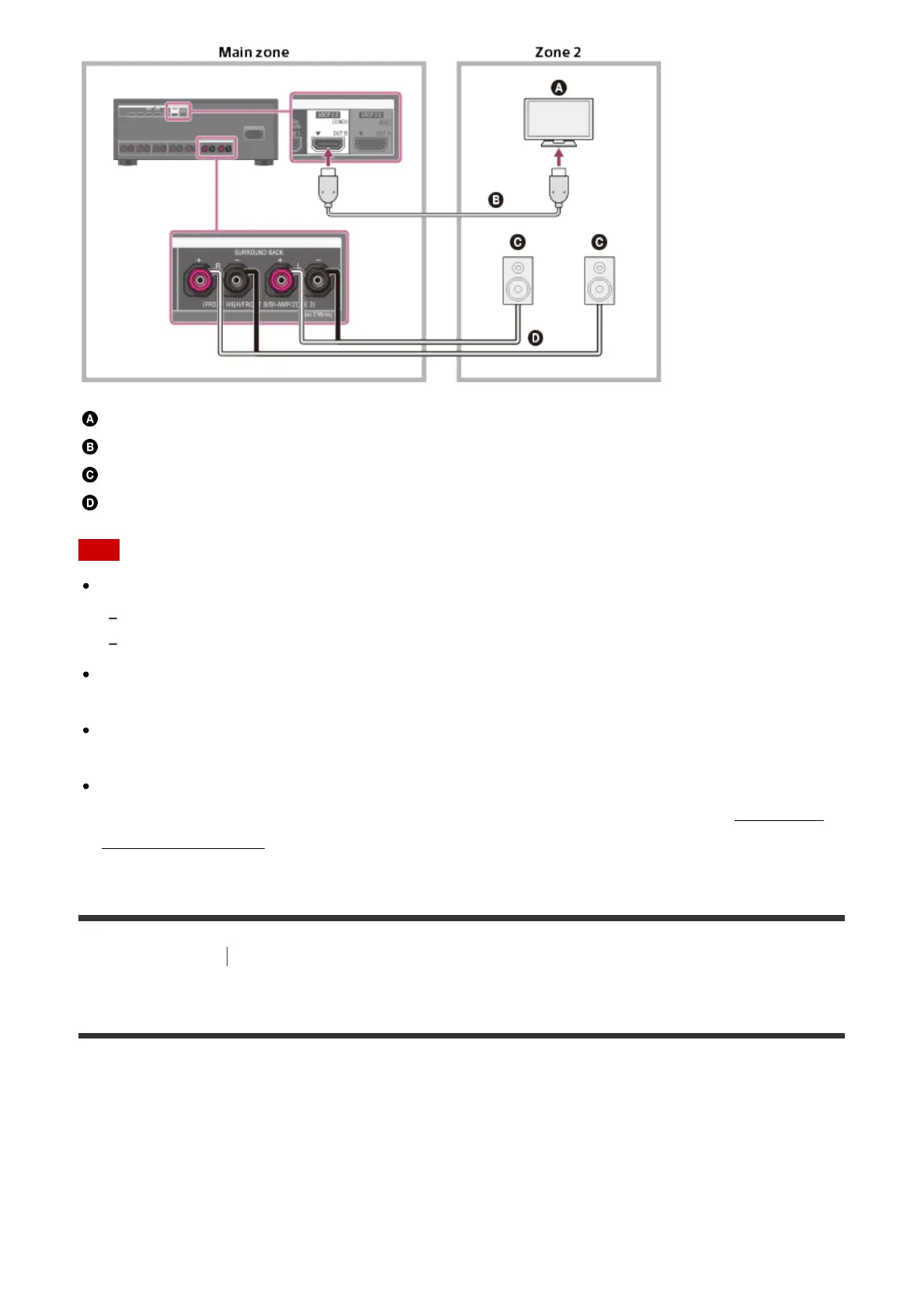
TV
HDMI cable (not supplied)
Speakers
Speaker cable (not supplied)
Note
The following settings are required for this connection.
Set [HDMI Out B Mode] in the HDMI Setup menu to [Zone2]
Set [Zone2 Audio Out] in the HDMI Setup menu to [Zone2 TV + AMP]
Turn the volume of the TV down or set [Zone2 Audio Out] in the HDMI Setup menu to
[AMP] if you do not want to output sound from the TV in zone 2.
You cannot remedy the time gap between video on zone 2 TV and audio from zone 2
speakers using the A/V Sync function.
When using this zone 2 connection, you need to set up the SPEAKERS SURROUND
BACK/FRONT HIGH/FRONT B/BI-AMP/ZONE 2 terminals. For details, see “Setting the
speakers for zone 2.”
[12] Preparation
Connecting audio-visual devices and the antennas (aerials)
Connecting a TV (for STR-ZA3000ES)
Connect a TV to the HDMI OUT or MONITOR VIDEO OUT jack. You can operate this
receiver using a GUI (Graphical User Interface). GUI is used only for HDMI OUT A jack.
Be sure to disconnect the AC power cord (mains lead) before connecting cables.
To watch 4K resolution content
The HDMI jacks designated as being “HDCP 2.2” (HDMI IN 2/IN 3, HDMI OUT A/OUT B)
support High-bandwidth Digital Content Protection System Revision 2.2 (HDCP 2.2).



 To Next Page
 Loading...