13
Chapter 1: Introduction
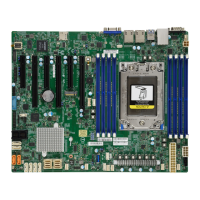
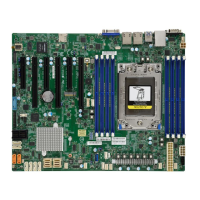
Quick Reference Table
Jumper Description Default Setting
UID SW Unit ID switch (push-button toggle switch ON/OFF) O
JBT1 Clear CMOS Open (Normal)
JPB1 BMC Enable/Disable Pins 1-2: (Enabled)
JPG1 VGA Enable/Disable Pins 1-2 (Enabled)
JPS1 SAS Enable/Disable (H11SSL-C & H11SSL-NC only) Pins 1-2 (Enabled)
JWD1 Watch Dog control Pins 1-2 (Reset)
JPL1, JPL2 LAN1, LAN2 Enable/Disable Pins 1-2 (Enabled)
LED Description Status
UID LED Rear unit ID LED Solid blue: UID switched to ON, unit identied
LEDM1 BMC heartbeat LED Green: Blinking (BMC normal), Green: Fast blinking (BMC initializing)
LE1 Power OK LED Green: System power OK
LE3 M.2 active LED Green: M.2 PCI-E port active
LEDSAS SAS port active LED Green: SAS port active (H11SSL-C & H11SSL-NC only)
Connector Description
Battery (BT1) Onboard CMOS battery
JNCSI1 NCSI header
COM 1 Rear panel COM port #1
FAN 1~5, A, B System cooling fan headers
IPMI_LAN Dedicated IPMI LAN port
JF1 Front control panel
JSEN1 Intel sensor header
JSD1, JSD2 SATA DOM power connector
J23 M.2 PCI-E Interface
JTPM1 Trusted Platform Module (TPM)/Port 80 connector
I-SATA0~I-SATA7 Internal SATA Ports
L-SAS0~L-SAS7 Internal SAS Ports (H11SSL-C & H11SSL-NC only)
SATA8~SATA11 (JNVME0) Internal SATA/NVMe Ports (SATA8~SATA11: H11SSL-i only, JNVME0: H11SSL-NC only)
SATA12~SATA15 (JNVME1) Internal SATA/NVMe Ports (SATA12~SATA15: H11SSL-i only, JNVME1: H11SSL-NC only)
JL1 Chassis intrusion header
JOH1 Chassis overheat header
USB 0/1 (2.0) Back panel USB 2.0 ports (USB 0/1)
USB 2/3 (2.0) Internal USB 2.0 header (USB 2/3)
USB 4/5 Back panel USB 3.0 ports (USB 4/5)
USB 6/7 Internal USB 3.0 header (USB 6/7)
USB8 Internal USB 3.0, Type A port (USB 8)


 To Next Page
 Loading...