11
Powering the Cloud Key Gen2 Plus
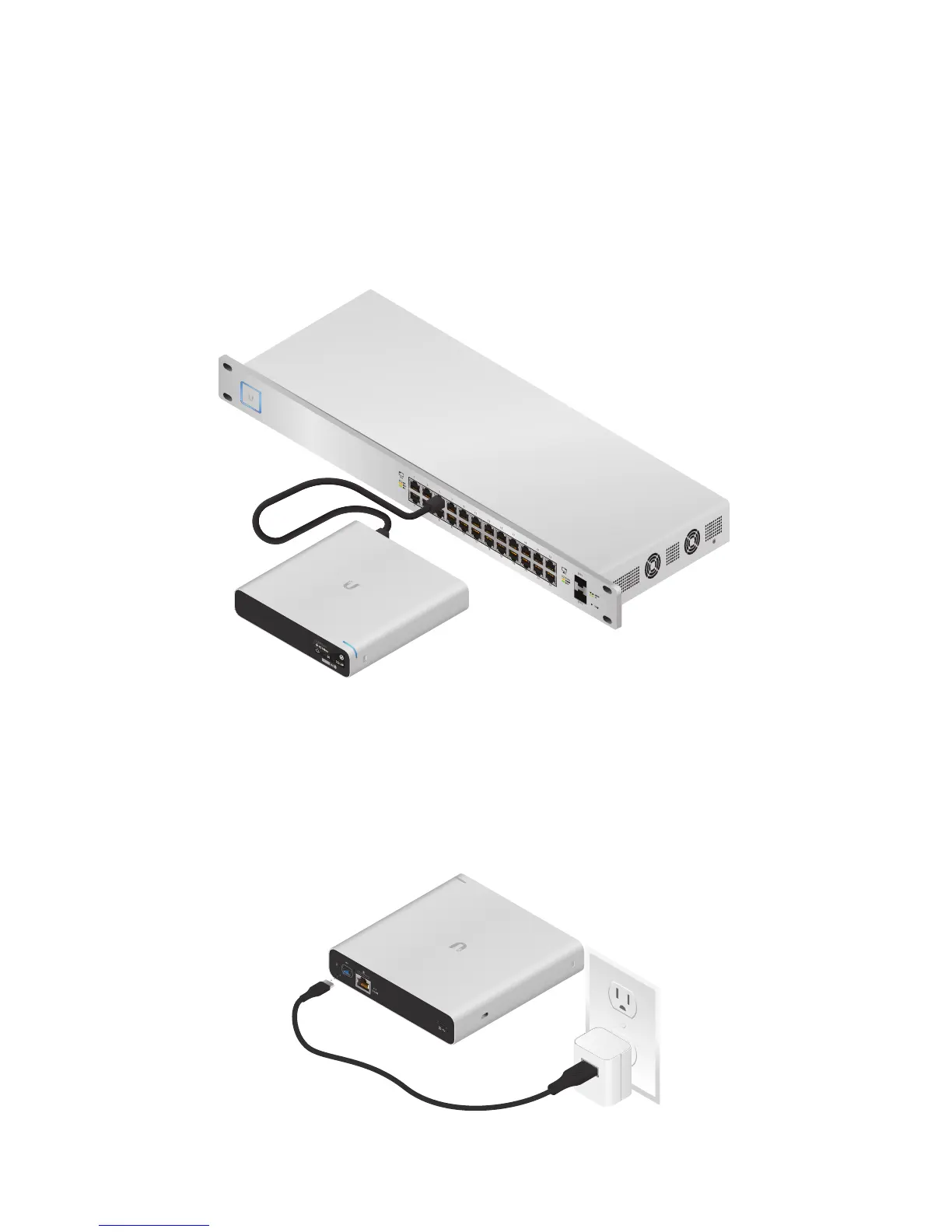
Use an 802.3af-compliant switch, such as a UniFi PoE Switch, a
USB power source, or 48V PoE adapter (not included).
UniFi Switch
The Cloud Key Gen 2 Plus can be powered by a UniFi PoE
Switch or other 802.3af-compliant switch.
1 3 5 7 9 11 13 15 17 19 21 22
2 4 6 8 10 12 14 16 18 20 22 24
SFP1
UniFi Switch Power Connection Diagram
USB Power Source
Connect a USB cable (not included) from the Cloud Key Gen 2
Plus directly to a USB power source: Quick Charge 2.0 or
Quick Charge 3.0 compliance is required.
USB Power Connection Diagram


 To Next Page
 Loading...