VR-500 OPERATING MANUAL2
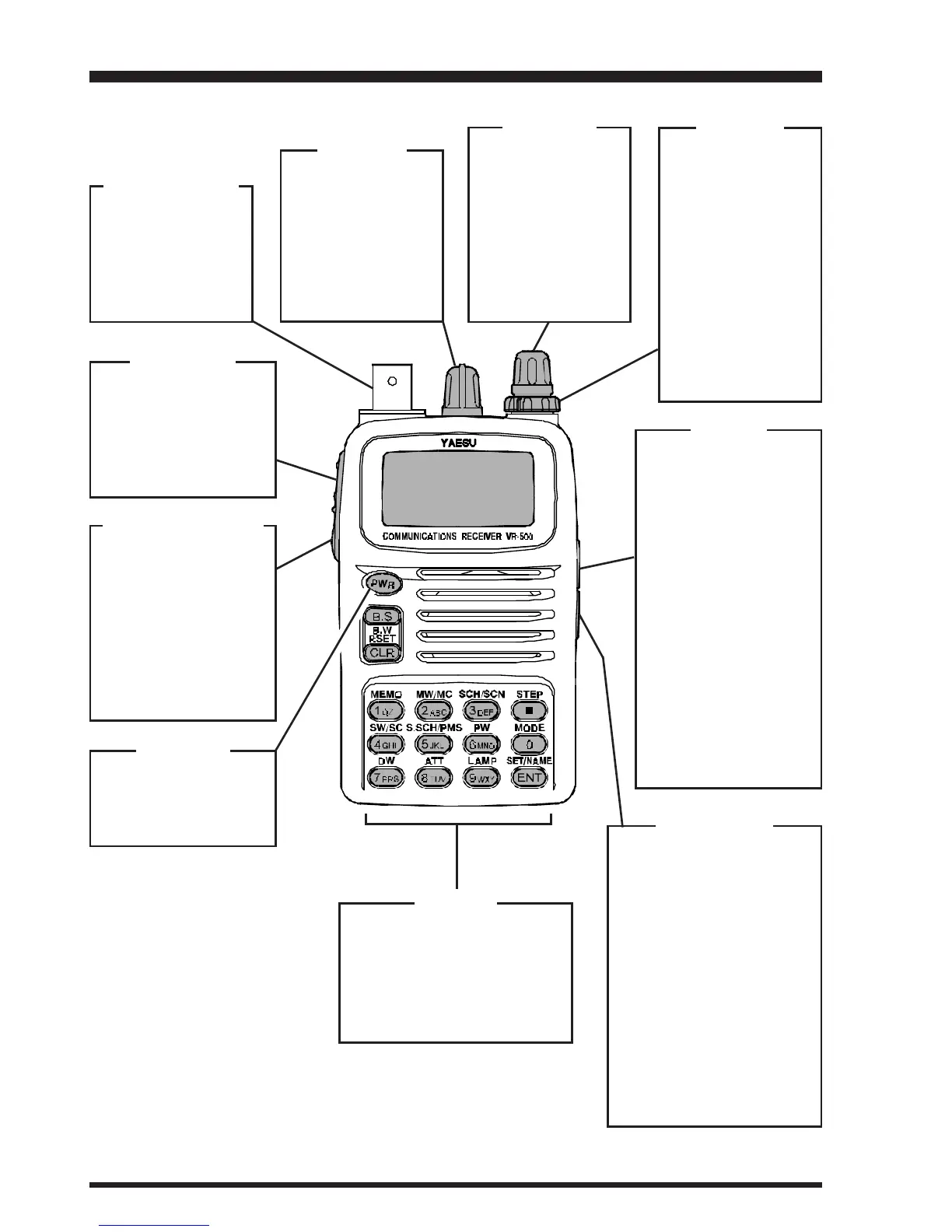
Controls & Connections
ANTENNA Jack
Connect the sup-
plied rubber flex an-
tenna (or another
antenna presenting
a 50 Ω impedance)
here.
EXT DC Jack
This coaxial DC jack al-
lows connection to an
external DC power
source (9~16 Volts DC).
The center pin of this jack
is the Positive (+) line.
Note: The protective
rubber cover over this
jack must be pulled up to
access it. Press it back
over the jack when not in
use, to protect the inside
of the radio from dust
and water.
[FUNC] Key
Press and hold in this
key, while pressing
one of the keypad's
buttons, to activate
the “Secondary” key
mode.
[MONI(LOCK)] Key
Press this key mo-
mentarily to “open”
the squelch manually,
allowing you to listen
for very weak signals.
Press this key
while
pressing the
[FUNC]
key
to activate the
“Key Lock” Feature.
[PWR] Key
Press and hold in this
key for two seconds
to toggle the radio's
power on and off.
KEYPAD
These 14 keys select many
of the most important oper-
ating features on the VR-
500. The functions of the
keys are described in detail
on pages 4 and 5.
DIAL Knob
This 20-position
detented rotary
switch is the main
tuning dial for the ra-
dio. It used for most
tuning, memory se-
lection, and func-
tion-setting tasks on
the radio.
VOL Knob
This control adjusts
the receiver's audio
volume level, and
also the keypad's
Beeper level.
Clockwise rotation
increases the audio
volume level.
SQL Knob
This control sets
the threshold level
at which received
signals (or noise)
open the “Squelch.”
It should be ad-
vanced clockwise
just to the point
where background
noise is silenced,
so as to provide the
best sensitivity to
weak signals.
SP Jack
This 2-conductor, 3.5-
mm miniature phone
jack provides audio
output for an ear-
phone. The internal
loudspeaker is dis-
abled when this jack
is used.
Note: The protective
rubber cover over this
jack must be pulled up
to access it. Press it
back over the jack
when not in use, to
protect the inside of
the radio from dust
and water.


 To Next Page
 Loading...