41
Chapter 5: Installing the utilities RT-N15U
Setting up your network printer
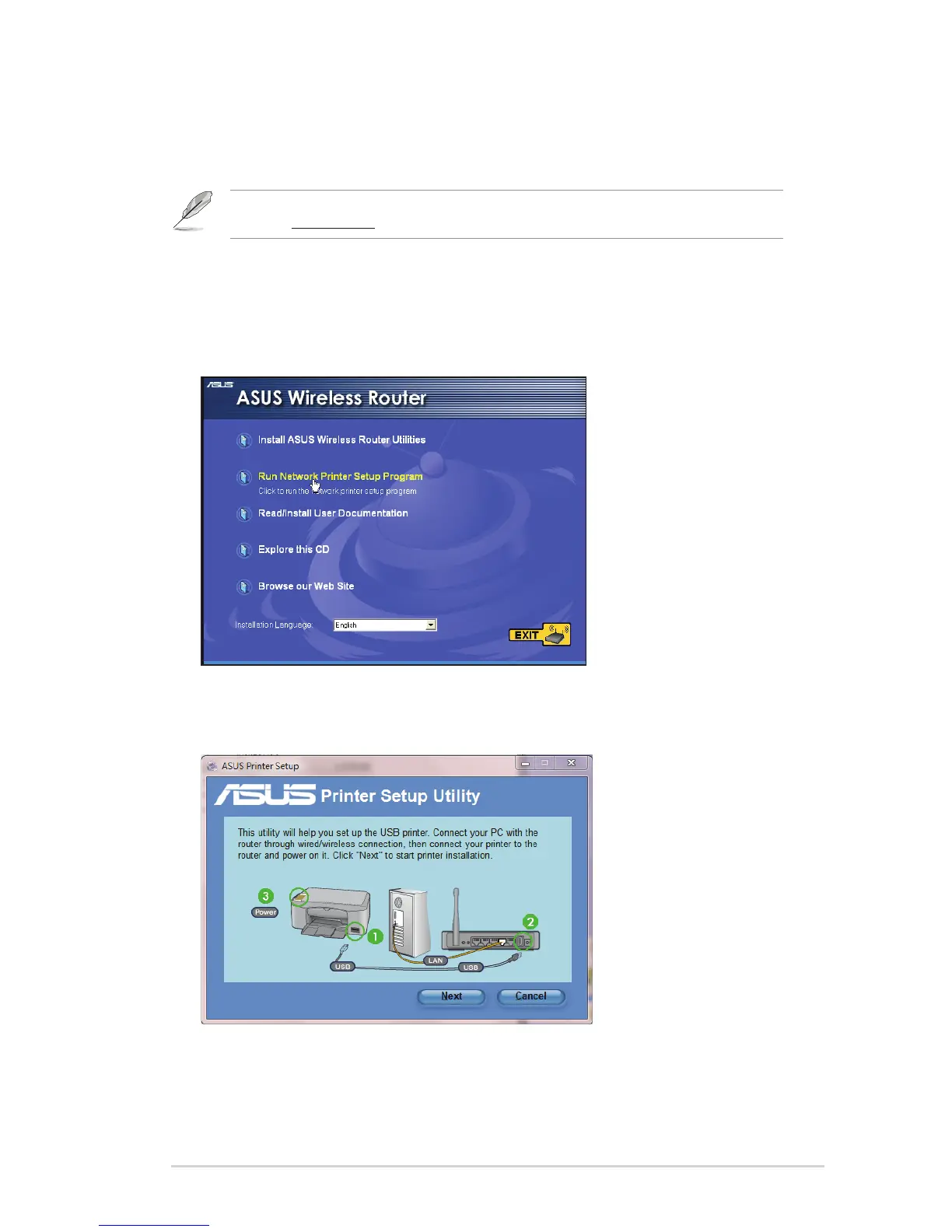
Use the Network Printer Setup utility to set up a USB printer on your wireless
router and allow network clients to access the USB printer.
Note: To check if your USB printer is compatible with your ASUS wireless router, visit the ASUS
website at ww.asus.com and click Products > Networks > Printer Support List.
To set up your USB Printer:
1. Run the ASUS Wireless Utilities from the support CD, then click Run Network
Printer Setup Program.
2. Follow the onscreen instructions to set up your hardware, then click Next.


 To Next Page
 Loading...










