A10/A11/A10W/A11W IP Phone User Manual
ATCOM TECHNOLOGY CO., LIMITED www.atcom.cn
3. Start Month: The month that the daylight rule begins taking effect.
4. Start Date: The day that the daylight rule begins taking effect.
5. Start Hour of Day: The hour of day that the daylight rule begins taking effect.
6. Start Day of Week: The day of week that the daylight rule begins taking effect.
7. Start Week of Month: The week of month that the daylight rule begins taking effect.
8. Stop Month: The month that the daylight rule stops taking effect.
9. Stop Date: The day that the daylight rule stops taking effect.
10. Stop Hour of Day: The hour of day that the daylight rule stops taking effect.
11. Stop Day of Week: The day of week that the daylight rule stops taking effect.
12. Stop Week of Month: The week of month that the daylight rule stops taking effect.
13. Offset(minutes): The offset time that daylight rule takes effect.
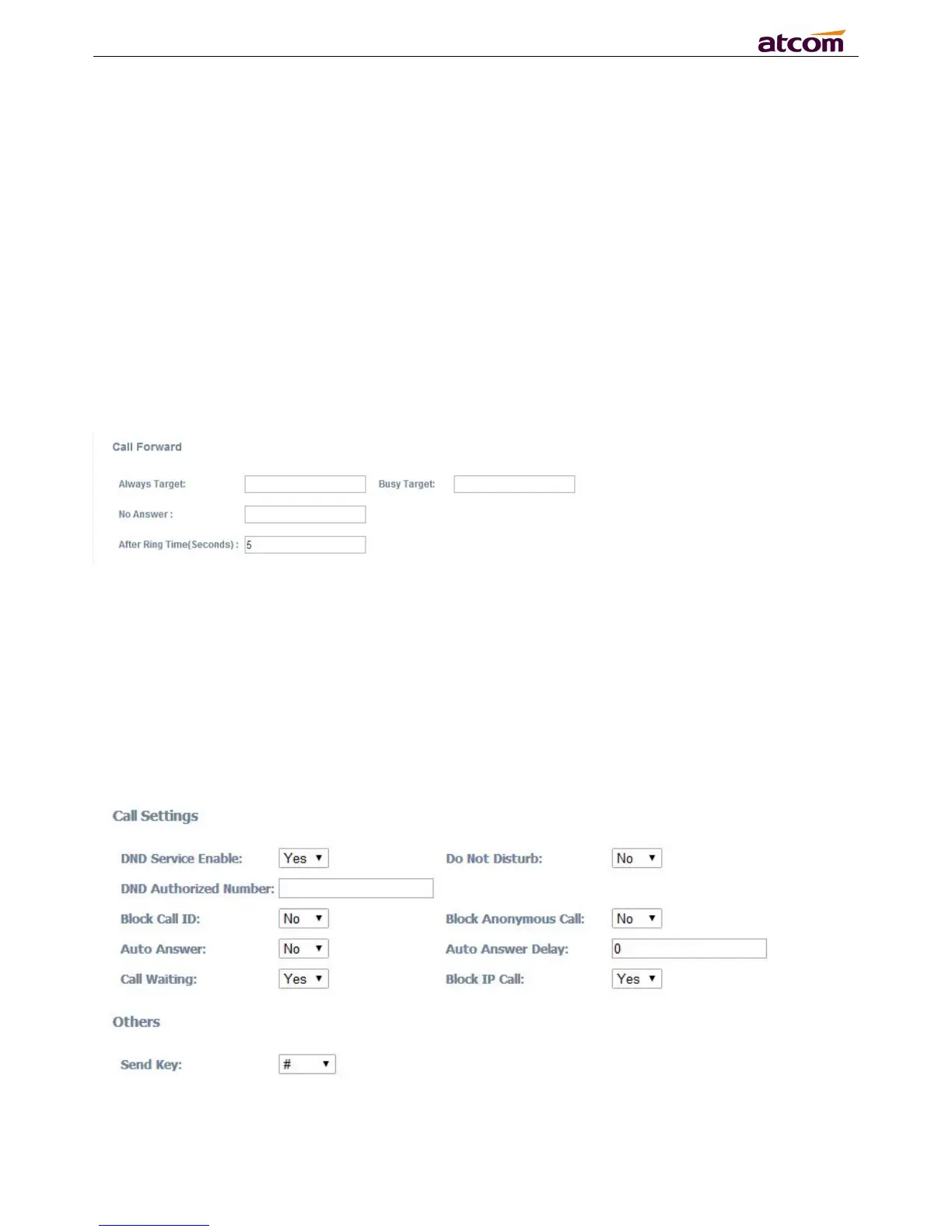
1. Always Target: Every incoming call will be forwarded to this target.
2. Busy Target: The incoming call will be forwarded to this target when A10/A11/A10W/A11W is
3. No Answer: The incoming call will be forwarded to this target when there is no answer.
4. After Ring Time(Seconds): After this time out, the incoming call will be forwarded to this target
if no answer. Defaults waiting for 5 seconds.
The priority of Always Target is highest when Always Target, Busy Target and No Answer Target
have been set. This means all the incoming call will be forwarded to the Always Target.
1. DND Service Enable: Select “Yes” or “No” to enable or disable DND service.



 To Next Page
 Loading...




