Navigation Driving hints
115
Reference OverviewControlsCommunication EntertainmentMobility
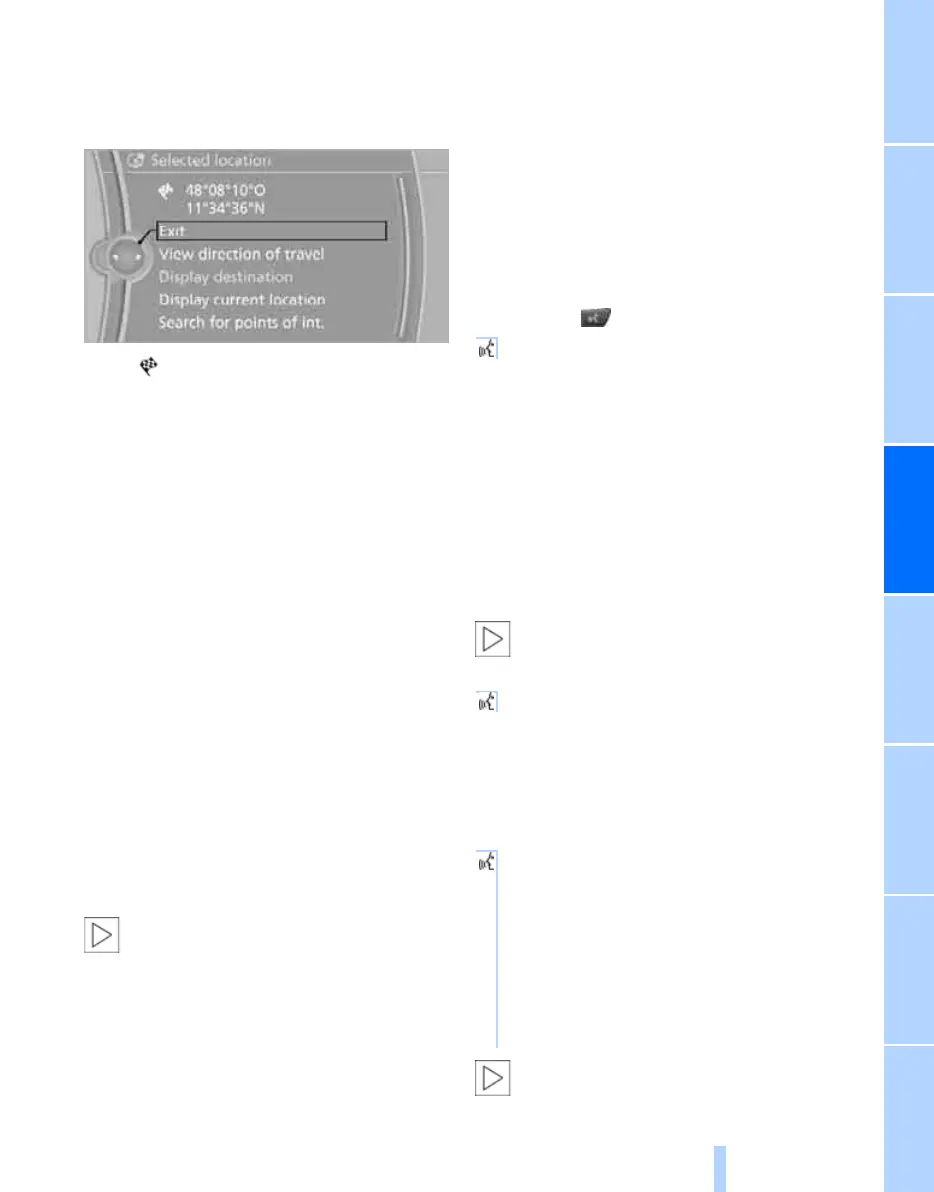
Interactive map
In the interactive map, the scale can be set and
the map section shifted. Other functions are
available by pressing the controller:
> Select the symbol and, if applicable,
"Start guidance"
> "Exit interactive map"
> Map view
> "Display destination"
The map section around the destination
is displayed.
> "Display current location"
The map section around the current
location is displayed.
> "Search for points of int.", see page 112.
Entering a destination via
voice commands*
General
You can enter a desired destination via the
voice control system. During destination entry,
it is possible at any time to switch between
voice commands and entries via iDrive; to do so,
reactivate the voice control system if neces-
sary.
You can have the possible commands
read aloud to you via {Voice com-
mands}.<
Voice commands
> Countries, locations, roads and junctions
can be spoken as whole words in the sys-
tem language or spelled out, see page 69.
Example: to enter a town/city within Ger-
many as a whole word, the language of the
system must be German.
> The town/city, street and house number
can also be stated in one sentence.
*
> Spell out the input if the language region
and system language differ.
> Pronounce the letters fluently, avoiding
unnatural emphasis and pauses.
Entering an address*
1. Press the button on the steering wheel.
3. Wait for the system prompt.
4. Say the town/city, street and house number
in one sentence.
5. Continue input as specified by the system.
6. If required, say each part of the address
separately, e.g. town/city.
Entering a town/city
The town/city can be spelled out or input as an
entire word
*
.
The input options depend on the naviga-
tion data and the country and language
settings in each case.<
2. Wait for the system to ask for the town/city.
3. Say the name of the town/city or at least the
first three letters, as applicable.
Depending on the input, up to 20 towns/cit-
ies are suggested.
Identical-sounding towns/cities that can-
not be distinguished by the system are
summarised in a separate list and shown as a
2. {Destination input}
1. {City} or {Spell name of city}.
4. Select town or city:
> To select the suggested town/city:
{Yes}
> To select another town/city: {New
entry}
> To select the entry, e.g. {Entry 2}
> To spell the input: {Spell name of
city}
Online Edition for Part no. 01 41 2 602 816 - © 08/09 BMW AGOnline Edition for Part no. 01 41 2 602 816 - © 08/09 BMW AG


 To Next Page
 Loading...











