iDrive
14
iDrive
iDrive integrates the functions of a large
number of switches. These functions thus can
be controlled from one central point. The basic
menu-guided operating principle is explained
below. Details of how to control individual func-
tions are provided under the descriptions of the
items of equipment concerned.
Controls
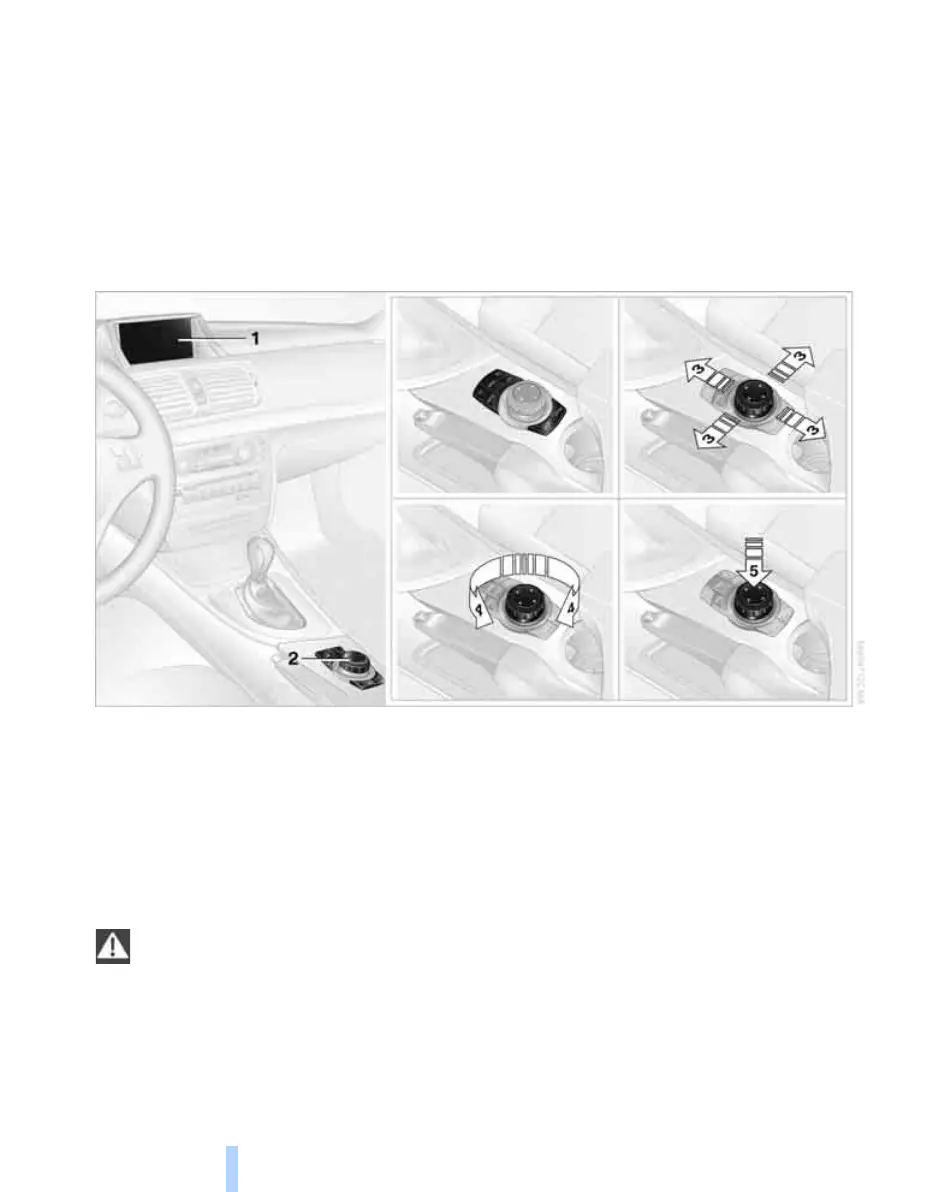
1 Control Display
2 Controller with buttons
The buttons can be used to call up menus
directly. The controller is used to select
menu items and adjust settings:
> Tilt in four directions, arrows 3
> Turn, arrow 4
> Press, arrow 5
Only make adjustments if the traffic con-
ditions are sufficiently quiet or clear, so as
not to endanger the car's occupants and other
road users by being distracted.<
Online Edition for Part no. 01 41 2 602 816 - © 08/09 BMW AGOnline Edition for Part no. 01 41 2 602 816 - © 08/09 BMW AG


 To Next Page
 Loading...











