7 | In Operation
38 / 68 0870211676_RA0760A_PLUS_-0004_IM_en
7.5 Warm-up / Cool-down Modes
The warm-up mode allows the machine to obtain a suitable operating temperature for
the process.
The cool-down mode allows the evacuation of any condensable vapours, see Conveying
Condensable Vapours [►39].
During these phases, the pump operates at maximum speed, with the gas ballast valve
open, in order to warm up and evacuate a maximum of humidity.
• The warm-up mode can be set either with a target time or with a target oil tem-
perature. In the second case, the warm-up phase will stop as soon as the oil tem-
perature reaches the target value.
• The cool-down mode can only be set with a target time.
They are only available for “Role 2“ users, see Role and User [►12].
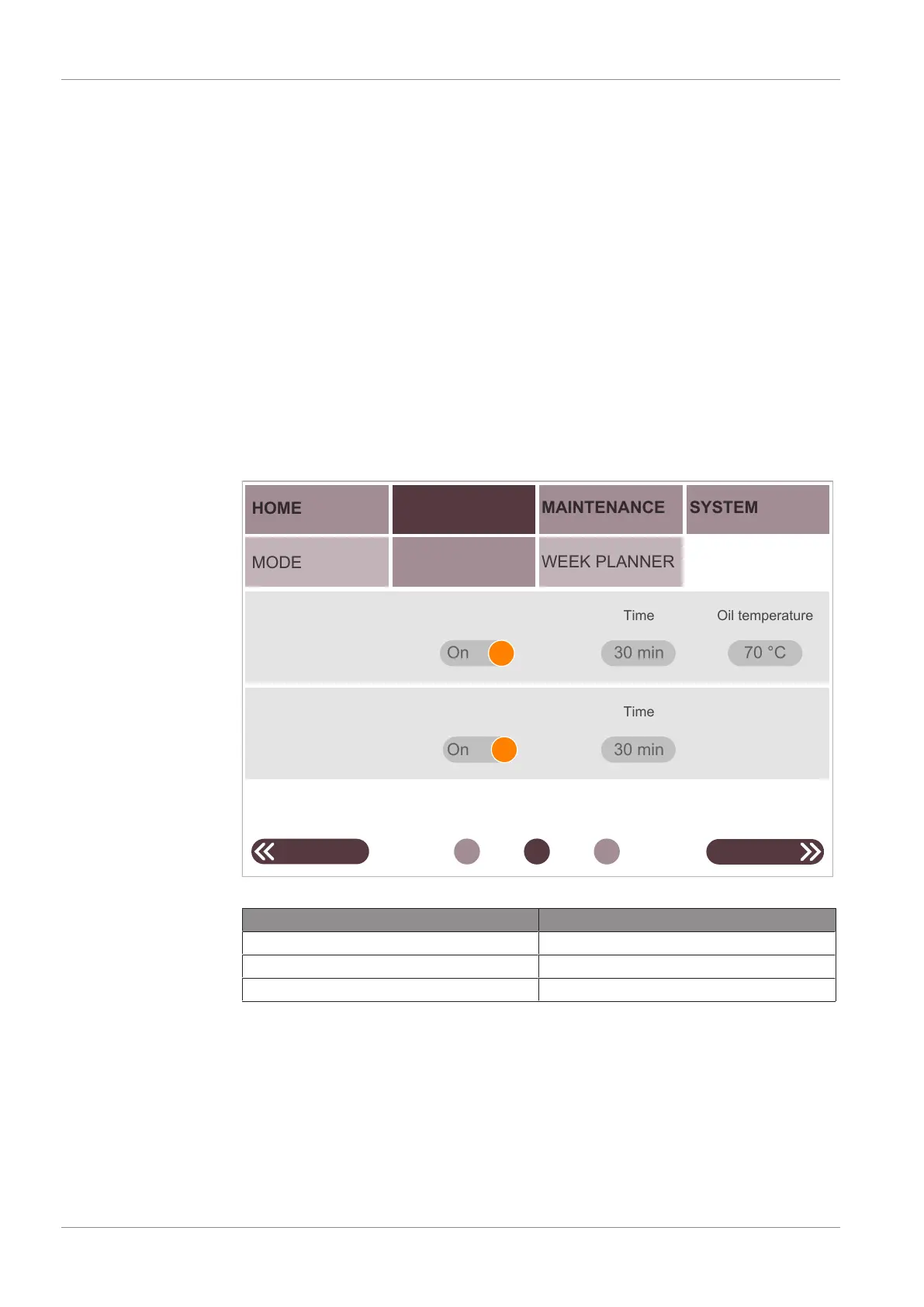
To activate these two modes:
• Go to “OPERATIONS” > “PARAMETERS”.
• Access to the second screen.
• Press on warm-up and/or cool-down switch button (password required).
HOME
PARAMETERS
OPERATIONS
MODE
MAINTENANCE
SYSTEM
WEEK PLANNER
Warm-up
On
NEXTPREVIOUS
70 °C
Cool down
On
30 min
30 min
Enable
Enable
Time
Time
Oil temperature
• Press a value to change it.
Parameter Default value
Warm-up time 30 min
Warm-up temperature 70 °C
Cool-down time 30 min


 To Next Page
 Loading...