36
Dioptric Adjustment in the Viewfinder
Holding the Camera
Use the dioptric adjustment in the viewfinder to best suit your eyesight. This adjustment can
enable eyeglass wearers to see through the viewfinder clearly, even without their eyeglasses.
The camera’s adjustable dioptric range is –3 to +1 dpt.
Turn the Dioptric Adjustment
Knob
● Turn the knob right or left until the AF point
or the center spot metering circle appears
sharply defined in the viewfinder.
● The diagram shows the knob set at the
standard diopter (–1 dpt).
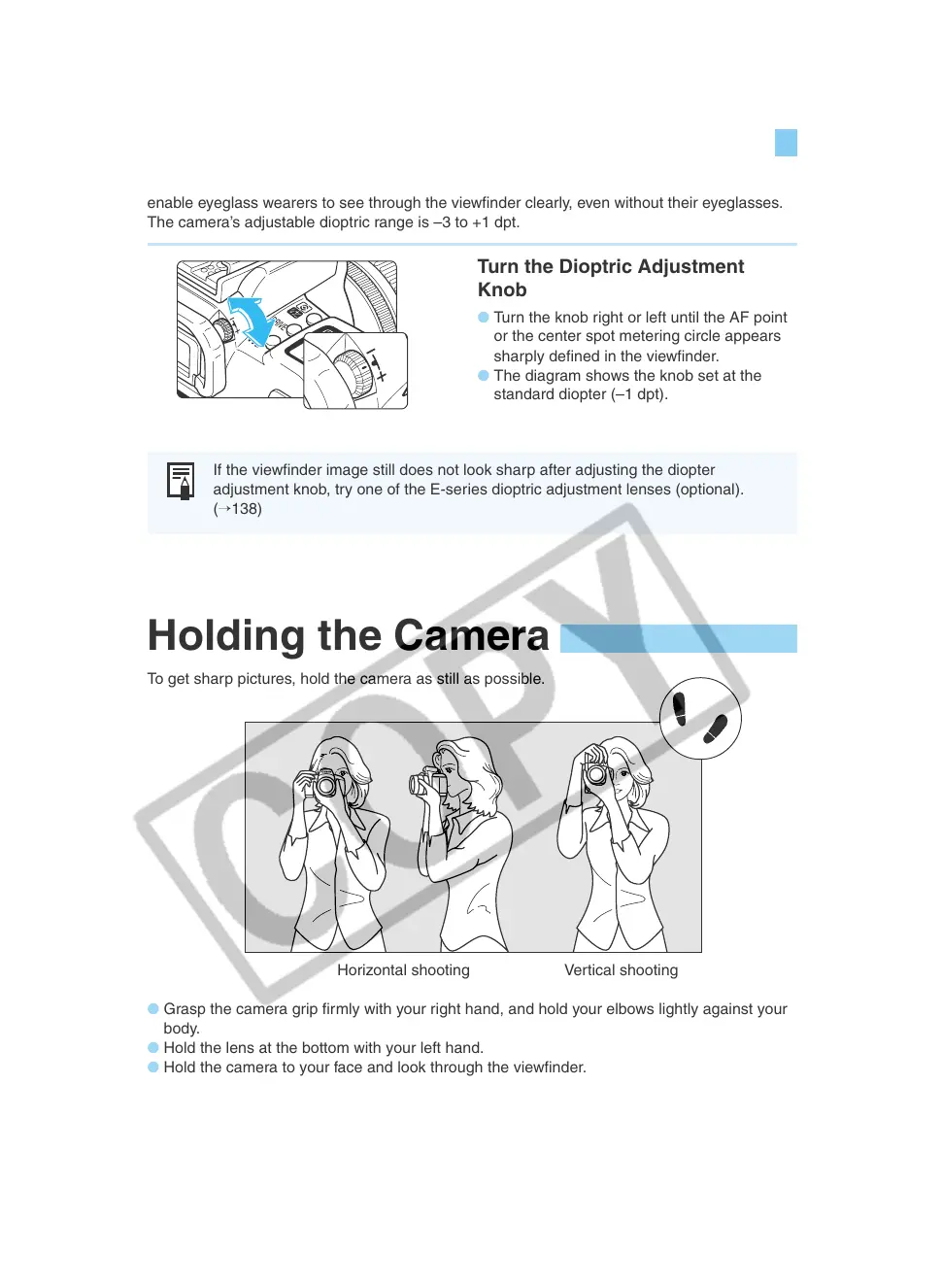
To get sharp pictures, hold the camera as still as possible.
Horizontal shooting Vertical shooting
● Grasp the camera grip firmly with your right hand, and hold your elbows lightly against your
body.
● Hold the lens at the bottom with your left hand.
● Hold the camera to your face and look through the viewfinder.
● To maintain a stable stance, place one foot slightly in front of the other.
If the viewfinder image still does not look sharp after adjusting the diopter
adjustment knob, try one of the E-series dioptric adjustment lenses (optional).
(→138)


 To Next Page
 Loading...












