1-32
Setting the Image Buffer, Motion Detection,
Audio Playback and Interval Timer (Event)
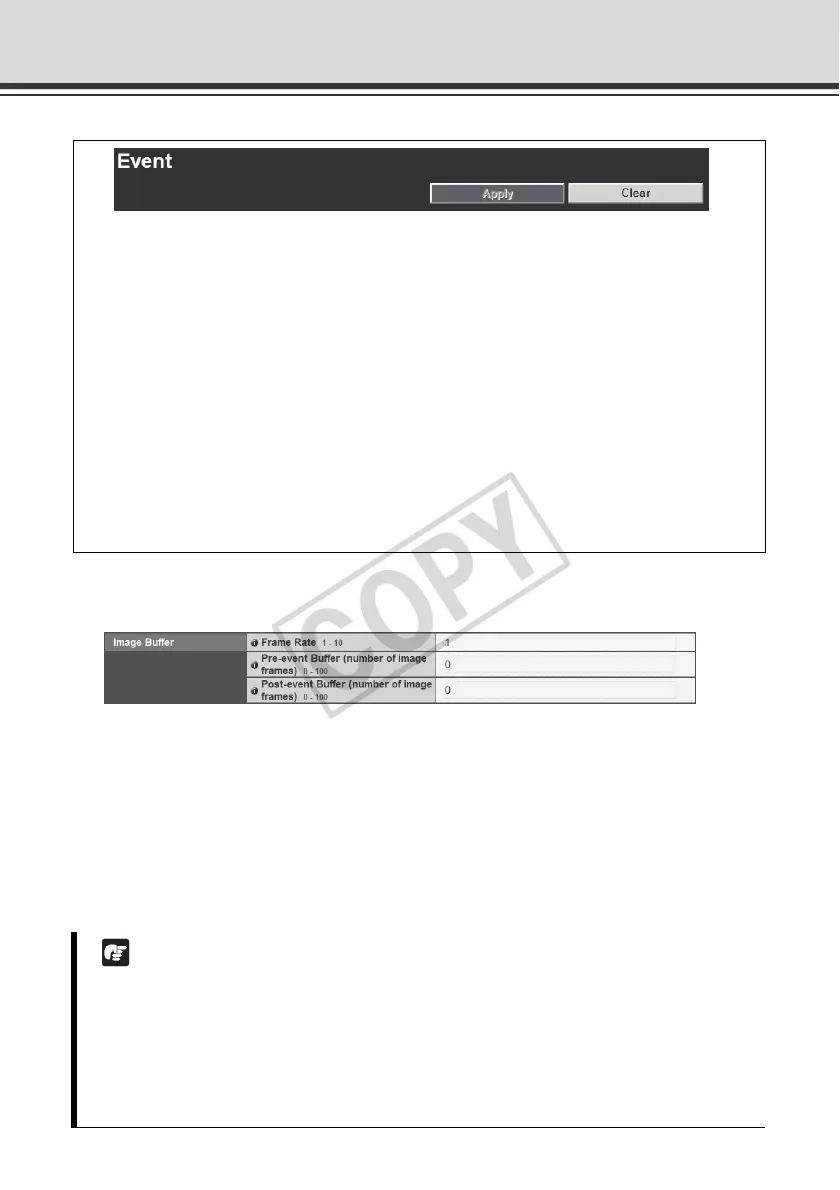
Image Buffer
(1) [Frame Rate]
Set the frame rate that applies when image is temporarily saved in the image buffer when an
event occurs.
(2) [Pre-event Buffer (number of image frames)]
Set the number of images to be buffered before the event.
(3) [Post-event Buffer (number of image frames)]
Set the number of images to be buffered after the event.
You can set the following items.
z Image Buffer
Set the items associated with the temporary saving of image in the image buffer.
z Motion Detection
Set the operation to be performed at the time of motion detection.
z External Device Input
Set the operation to be performed when an event is input from an external device.
z Interval Timer
Set the timer period for e-mail notification or upload.
z Sound Clip Upload
Set the audio file to be registered as a sound playback.
Note
z The maximum image buffer size is approx. 4 MB.
If a high image size is set, the Frame Rate, Pre-event Buffer and Post-event Buffer may not
be achieved as specified ( P. 1-22).
z If buffering cannot be achieved as specified, an event log message appears.
Before using such high image size, confirm that no messages are shown in the event log
( P. 1-22).



 To Next Page
 Loading...










