Zooming
55
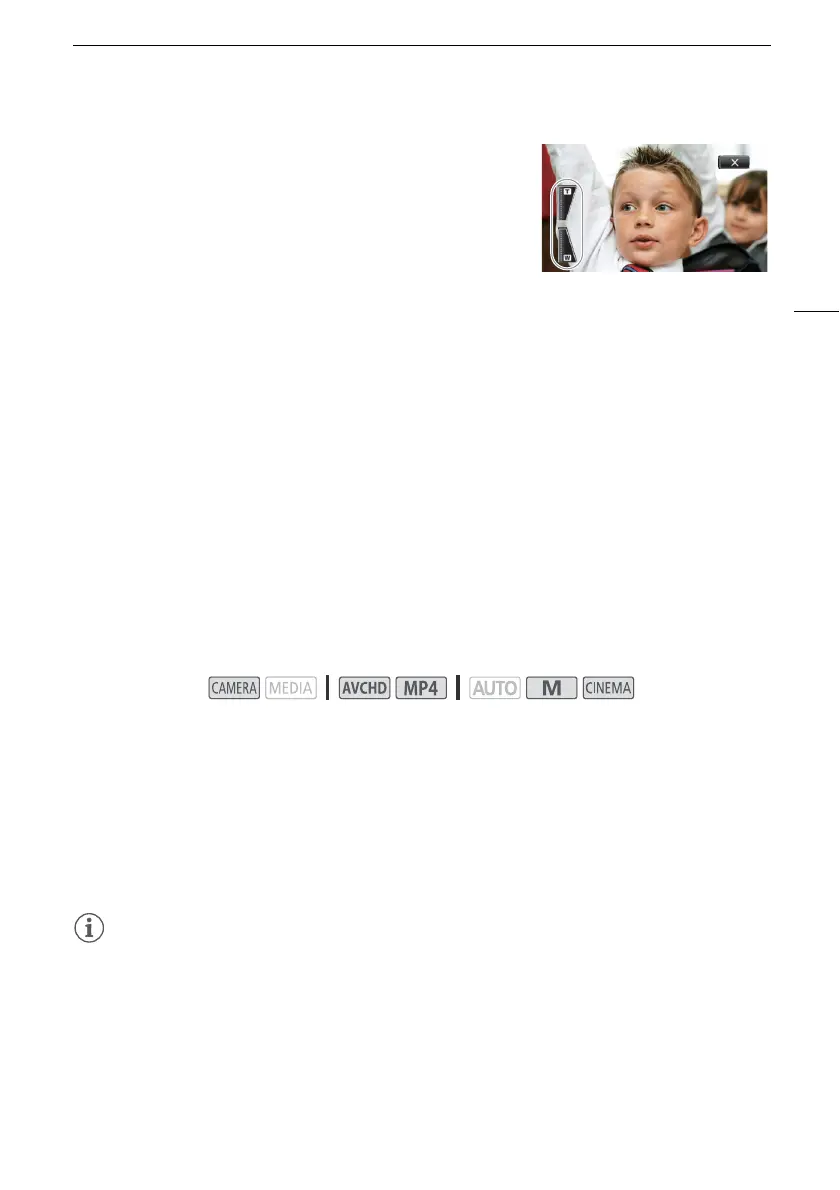
2 Touch the zoom controls to operate the zoom.
• Touch anywhere within the V area to zoom out or
anywhere within the U area to zoom in. Touch closer to the
center for a slow zoom; touch closer to the V/U icons for
faster zooms.
3Touch [X] to hide the zoom controls.
Soft Zoom Control
Soft zoom control allows you to start and/or stop the zoom gradually.
1 Open the [Soft Zoom Control] screen.
[FUNC.] > [MENU] > p > [Soft Zoom Control]
2 Touch the desired option and then touch [X].
Options
(
Default value)
Digital Tele-Converter
Using the digital tele-converter, you can digitally increase the focal length of the camcorder by a factor
of approx. 2 and record the enlarged image.
1 Open the [Digital Zoom] screen.
[FUNC.] > [MENU] > p > [Digital Zoom]
2Touch [f Digital Tele-conv.] and then touch [X].
3Open the zoom controls.
[FUNC.] > [ZOOM]
4Touch [f] (digital tele-converter) and then touch [X].
• The center of the screen will be enlarged approximately 2 times and the f icon will appear.
•Touch [
f] again before closing the screen to deactivate the digital tele-converter.
NOTES
• You can attach the optional tele-converter and use it in conjunction with this function to increase the
effect.
• The digital tele-converter cannot be set while recording or when [FUNC.] > [MENU] > p >
[Conversion Lens] is set to [WA-H58].
• The image is digitally processed so the image will deteriorate throughout the zoom range.
[j Off]
Use this setting if you do not intend to use soft zoom control.
[¬ Start] Zoom starts gradually.
[® Stop] Zoom stops gradually.
[¯ Start & Stop] Zoom start and stops gradually.
Operating modes:


 To Next Page
 Loading...











