80D-Link DIR-400 User Manual
Section 7 - Changing the Computer Name and Joining a Workgroup
Changing the Computer Name and Joining
a Workgroup
The following are step-by-step directions to change the computer name and join a workgroup.
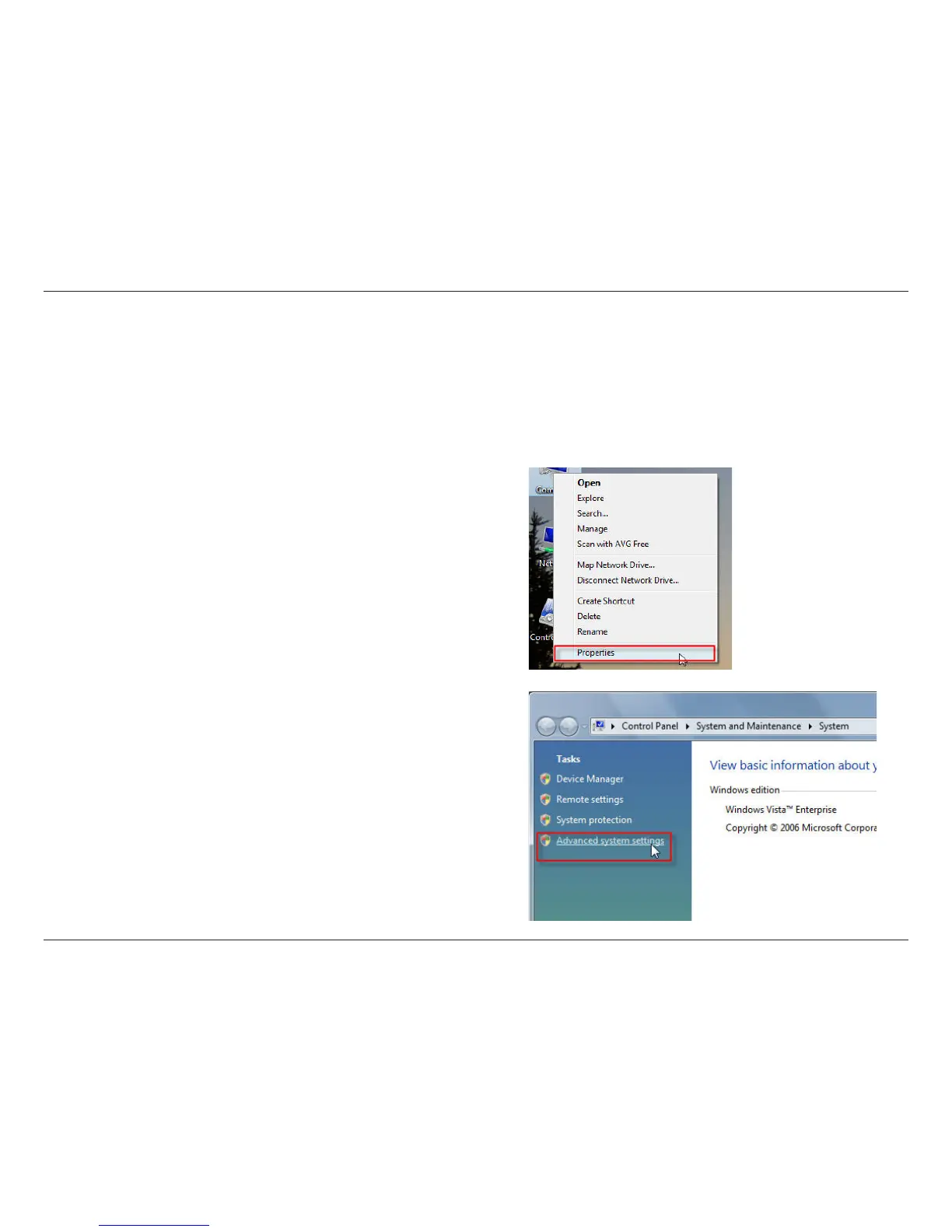
2. Click on the Advanced system settings link.
1. Right-click on Control Panel and click on Properties.


 To Next Page
 Loading...