4
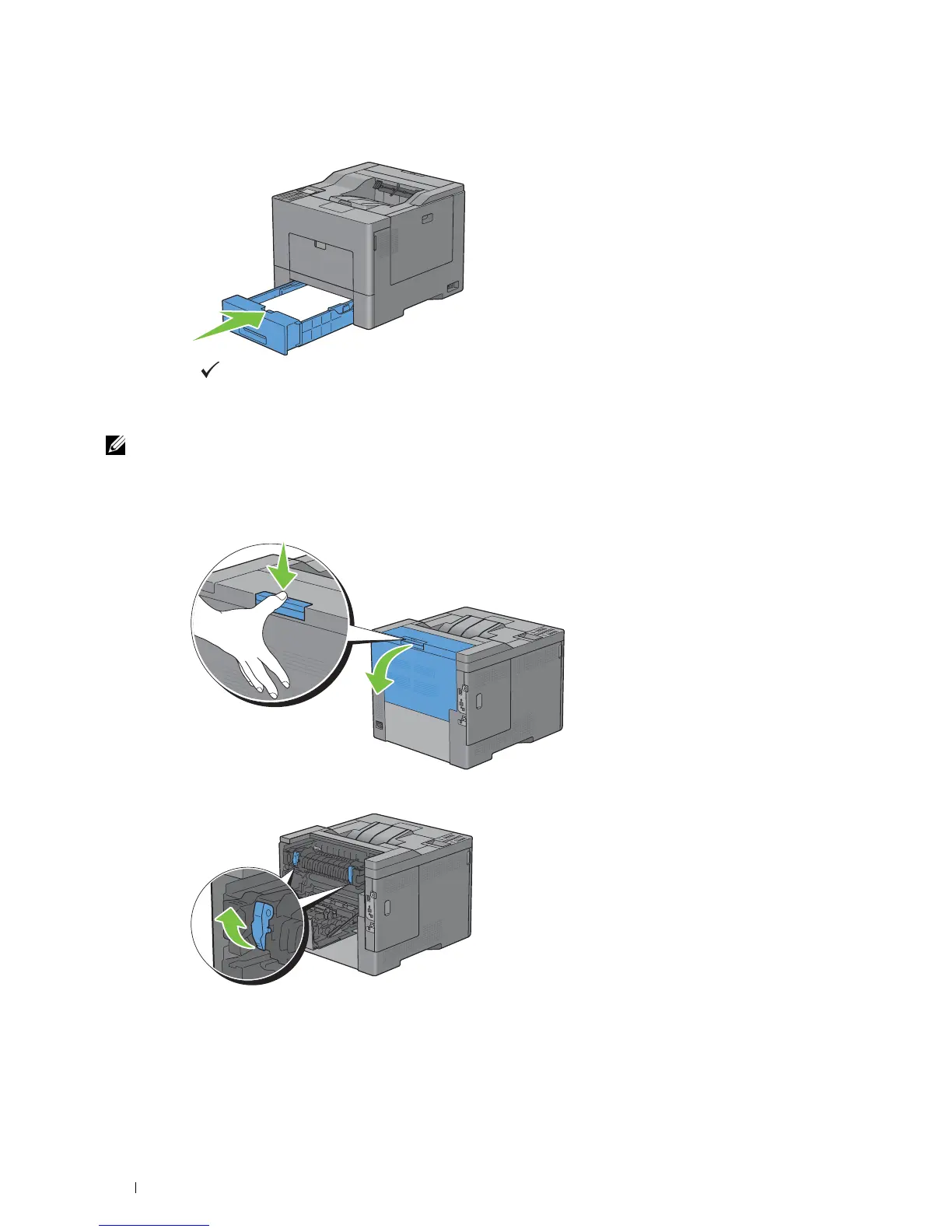
Insert tray1 into the printer, and push until it stops.
5
Press the
(Set)
button.
Clearing Paper Jams From the Fusing Unit
NOTE: To resolve the error displayed on the LCD panel, you must clear all print media from the print media path.
If error code: 050-111 appears:
1
Push down the latch to open the rear cover.
2
Lift the levers on both sides of the fusing unit.
Clearing Jams 312



 To Next Page
 Loading...












