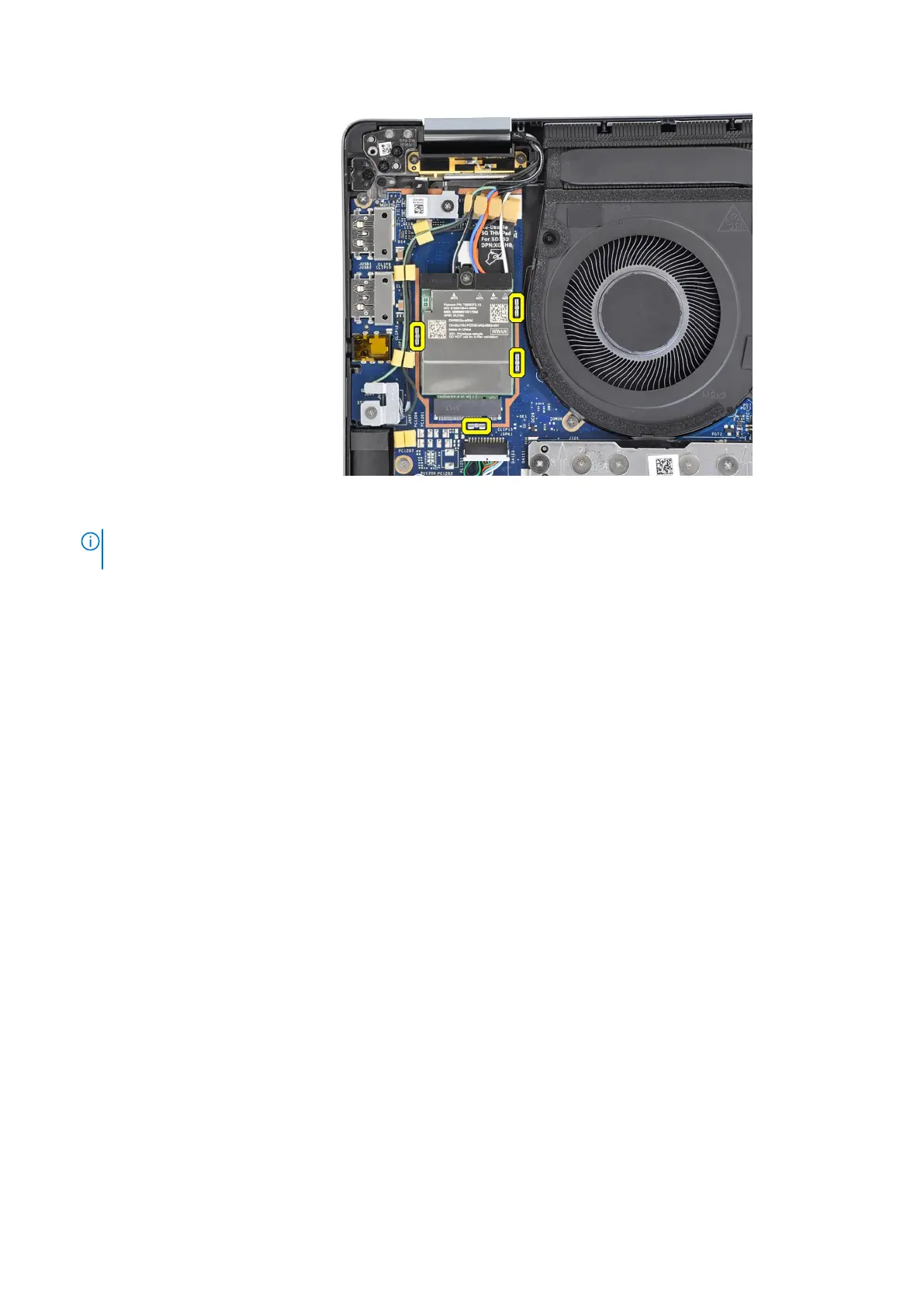
Figure 28. Installing the 5G WWAN card
NOTE: For instructions on how to find your computer's International Mobile Station Equipment Identity (IMEI) number,
search in the Knowledge Base Resource at www.dell.com/support.
Next steps
1. Install the base cover.
2. Follow the procedure in After working inside your computer.
Speakers
Removing the speakers for ultralight
Prerequisites
1. Follow the procedure in Before working inside your computer.
2. Remove the base cover.
3. Remove the WWAN card.
About this task
The following image indicates the location of the speakers and provides a visual representation of the removal procedure.
Removing and installing Customer Replaceable Units (CRUs)
59


 To Next Page
 Loading...





