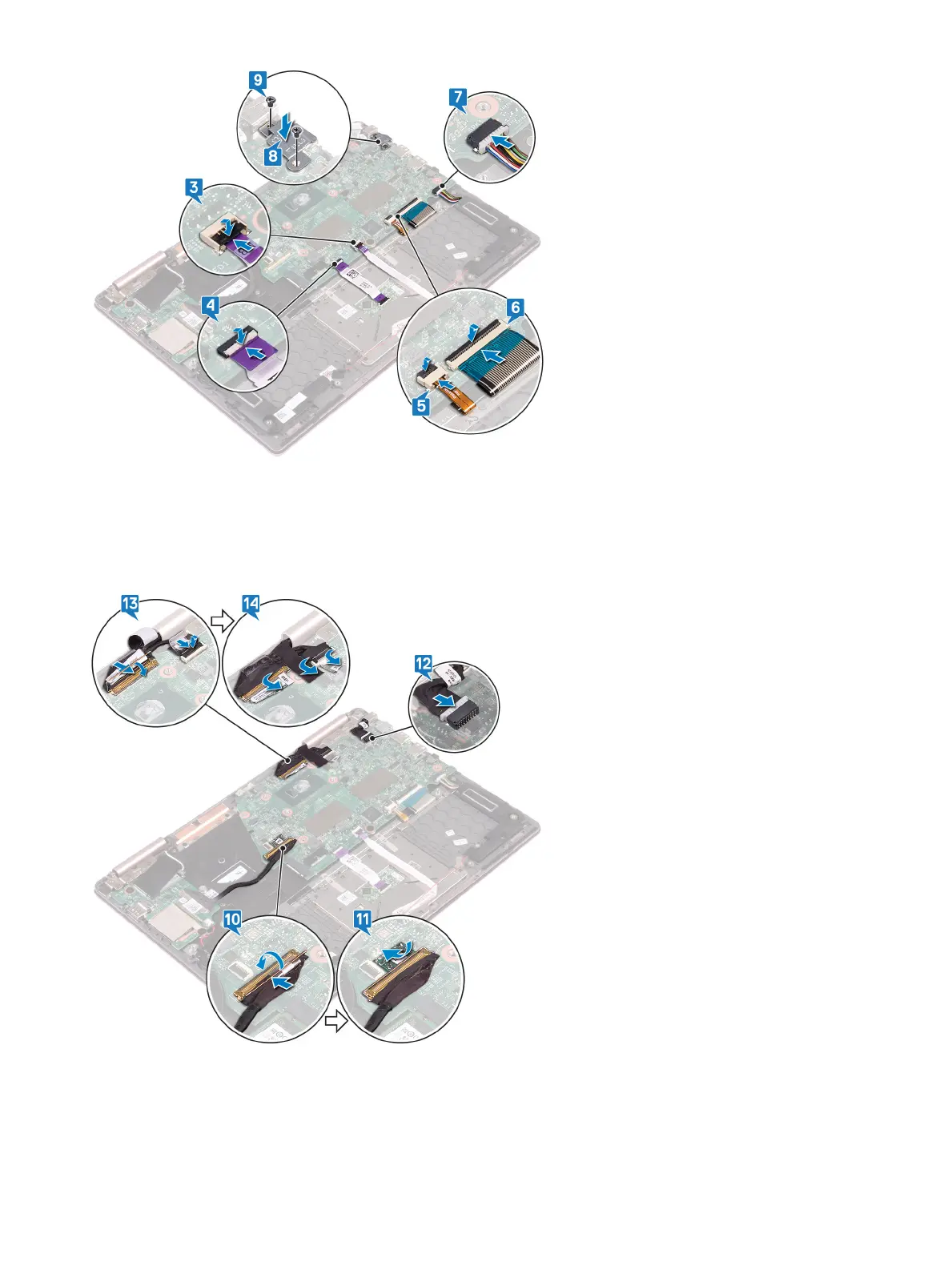
10 Open the latch and connect the I/O-board cable to the system board.
11 Adhere the adhesive tape that secures the latch on the I/O-board cable connector.
12 Connect the power-adapter port cable to the system board.
13 Open the latches and connect the display cable and touchscreen-board cable to the system board.
14 Adhere the adhesive tape that cover the display cable and touchscreen-board cable connectors on the system board.
44
Replacing the system board


 To Next Page
 Loading...



