MEMORY
MEMORY
61
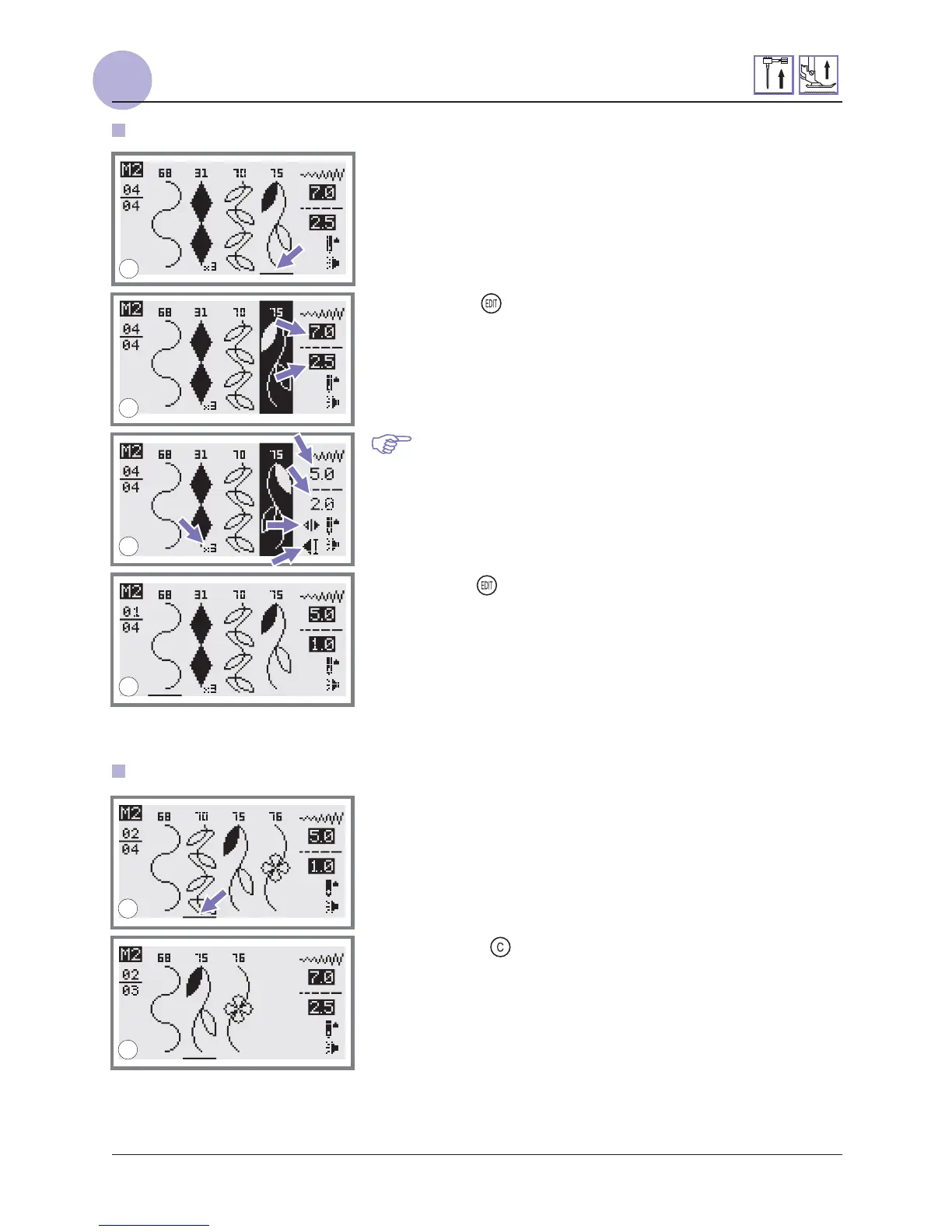
Editing patterns
1. Use the stitch width adjustment button to select the pattern
that you wish to edit while in the memory mode.
2. Press the " " button to edit the pattern. The stitch length,
stitch width, Elongation, Mirror, and Auto-lock of the
patterns can be adjusted manually.
4. Press the " " button when complete and return to browse
status.
Please Note: The stitch length, stitch width, Elongation,
Mirror, and Auto-lock of the patterns can be adjusted
manually.
1. Use the stitch width adjustment button to select the pattern
that you want to clear while in the memory mode.
2. Press the " " button to delete the selected pattern and
the next pattern in the back will move forward.
Clearing patterns or letters
1
2
3
4
1
2


 To Next Page
 Loading...