274
Peripherals and Optional Accessories
10
Lenses with No Aperture Rings
The method used to adjust aperture
can be selected using D BUTTON/
DIAL SETTING> APERTURE SETTING.
When an option other than AUTO is
selected, aperture can be adjusted
using the front command dial.
N
Aperture control defaults to the front command dial,
but can be reassigned to the rear command dial using
D BUTTON/DIAL SETTING> COMMAND DIAL SETTING.
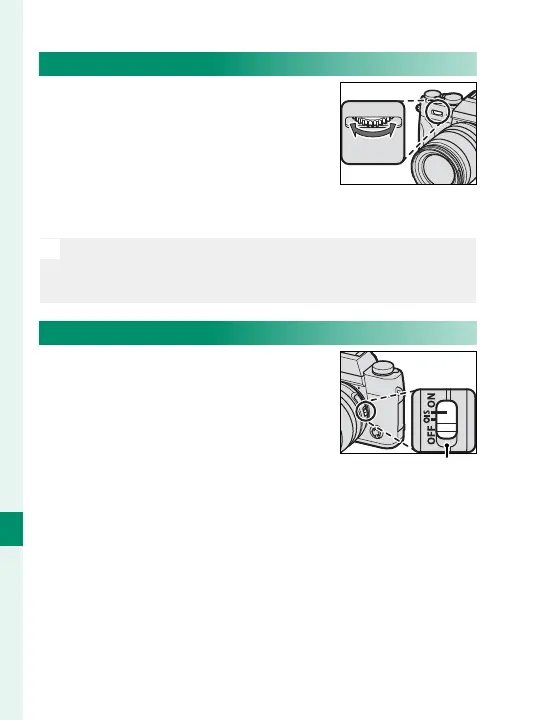
Lenses with O.I.S. Switches
If the lens supports optical image
stabilization (O.I.S.), the image
stabilization mode can be chosen
in the camera menus. To activate
image stabilization, slide the O.I.S.
switch to ON.
O.I.S. switch


 To Next Page
 Loading...












