36
2
First Steps
Inserting Batteries and Memory
Cards
After charging the battery, insert the battery
and memory card as described below.
1
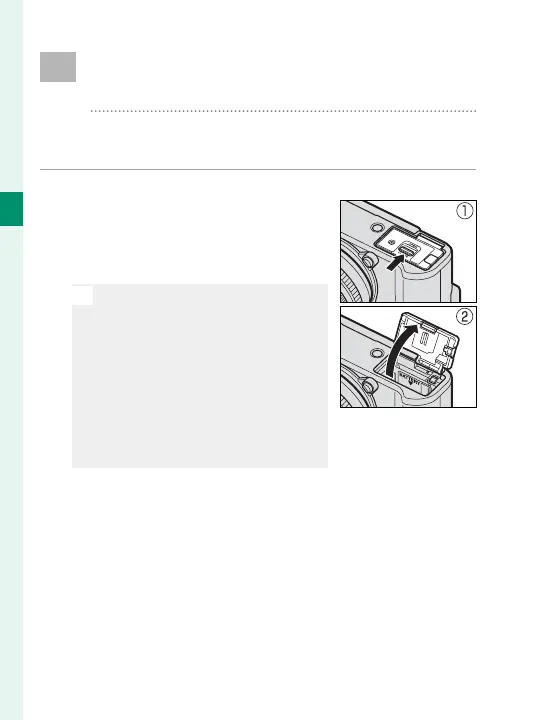
Open the battery-chamber cover.
Slide the battery-chamber latch
as shown and open the bat-
tery-chamber cover.
O
Do not open the battery-cham-
ber cover when the camera is
on. Failure to observe this pre-
caution could damage image
les or memory cards.
Do not use excessive force when
handling the battery-chamber
cover.


 To Next Page
 Loading...












