− 22/83 −
5. Inserting Paper
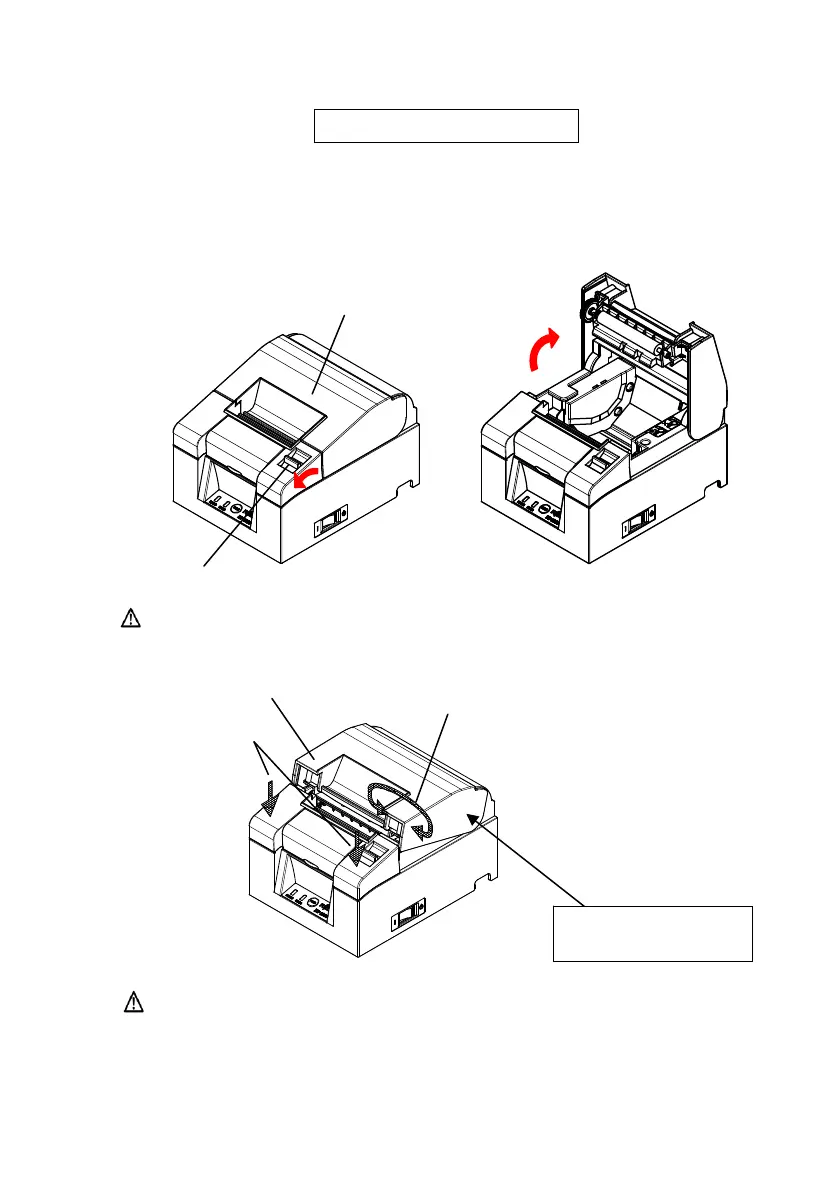
5-1. Opening the Top Cover
(1) Pull the release lever in the direction of the arrow, and then open the top
cover.
Top Cover
Release Lever
Caution: Lift the cover until it is vertical so that it will stay open.
The fulcrum point
of top cover
Part B
Part C
Part A
Caution: To open the cover, use either side of part C to hold the
printer steady and use part A or part B to lift the cover.
To prevent your fingers being pinched, please do not
touch the area around the top cover hinge
.


 To Next Page
 Loading...









