− 28/83 −
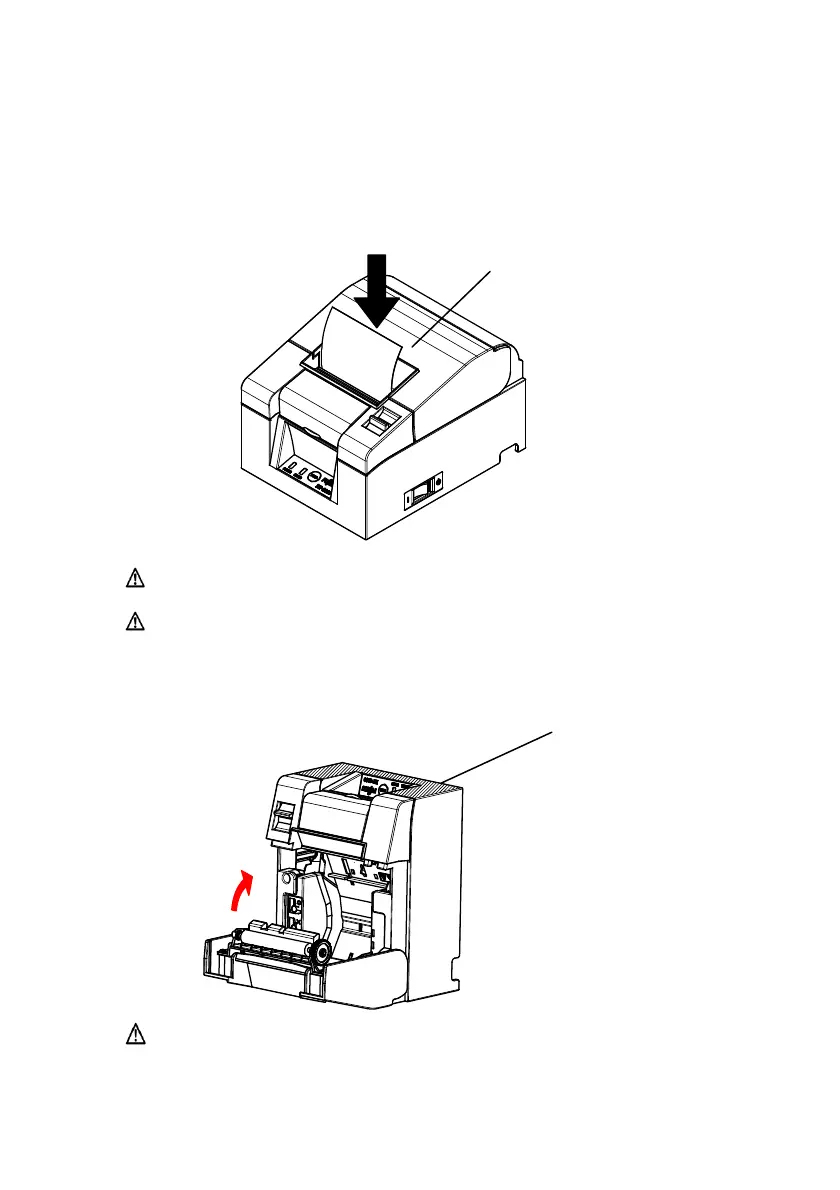
5-4. Closing the Top Cover
Set the paper correctly and carefully close the top cover.
Push
Top Cover
Caution: Set the paper correctly. Closing the top cover while the paper
is skewed may cause a paper jam or messy printing.
Caution: When closing the top cover, close it securely by pressing
around the central position (shown by the arrow in the figure)
until you hear a clicking sound. If the cover has not locked
into place, the printer may not function.
Front part of Printer
(Shaded part)
Caution: When the printer is mounted vertically, use the front of the
printer (shaded part in the above picture) to hold it steady when
opening the top cover.


 To Next Page
 Loading...










