1. OPERATIONAL OVERVIEW
1-87
1.46 How to Display and Set Up Navigational Data
Wind, depth, ocean current, wave data, water temperature, date and time and way-
point data can be displayed on this radar, however appropriate sensors are required.
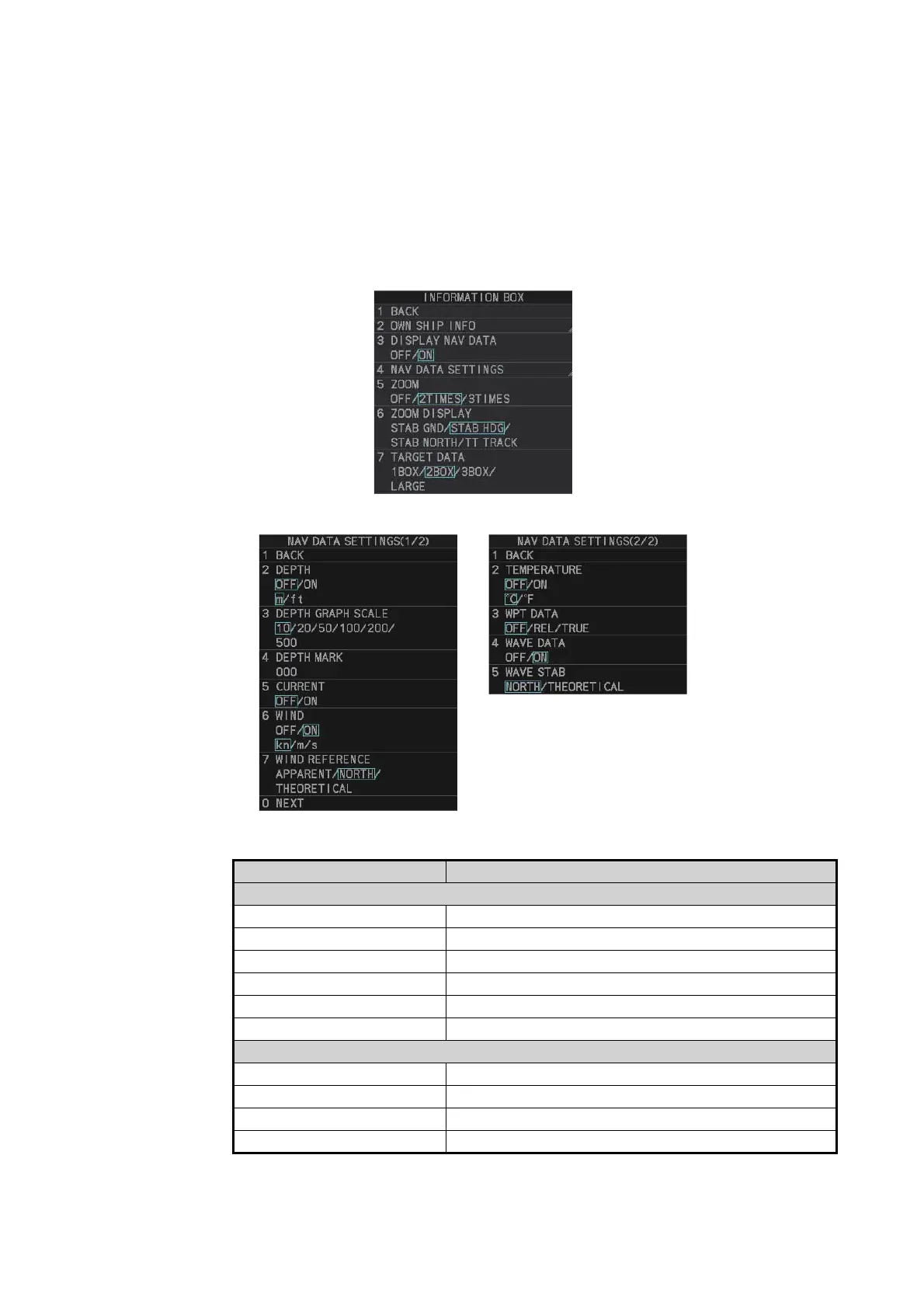
1.46.1 How to set up the navigational data
1. Open the menu.
2. Select [7 INFORMATION BOX].
3. Select [4 NAV DATA SETTINGS].
4. Referring to the table below, select the appropriate menu item, then press the EN-
TER MARK key.
Note 1: [4 WAVE DATA] requires connection to a PC with the wave analysis soft-
ware installed.
Menu item Available settings
Page 1
[2 DEPTH] [OFF], [ON]; [m], [ft]
[3 DEPTH GRAPH SCALE] [10], [20], [50], [100], [200], [500] (m)
[4 DEPTH MARK] [000] to [500] (m)
[5 CURRENT] [OFF], [ON]
[6 WIND] [OFF], [ON]; [kn], [m/s]
[7 WIND REFERENCE] [APPARENT], [NORTH], [THEORETICAL]
Page 2
[2 TEMPERATURE] [OFF], [ON]; [°C], [°F]
[3 WPT DATA] [OFF], [REL], [TRUE]
[4 WAVE DATA] [OFF], [ON]
[5 WAVE STAB] [NORTH], [THEORETICAL]


 To Next Page
 Loading...






