1. OPERATION
3
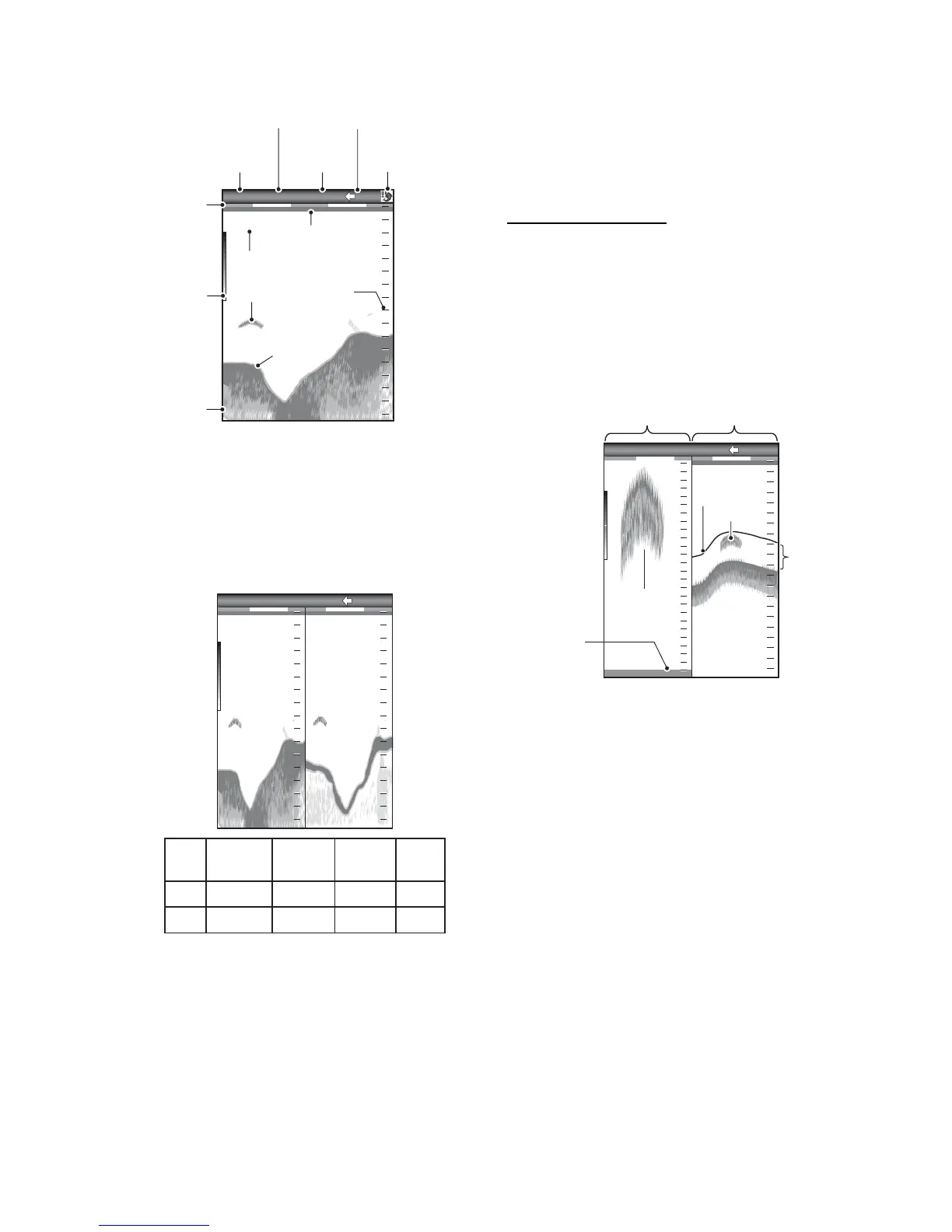
1.4.2 Dual frequency display
The 50 kHz picture appears on the left; the
200 kHz picture on the right. This display is
useful for comparing the same picture with
two different frequencies.
1.4.3 Zoom displays
Zoom mode expands chosen area of the sin-
gle frequency picture. Three modes are avail-
able: bottom lock, bottom zoom and marker
zoom. The default zoom mode is bottom lock.
Bottom lock display
The bottom lock display provides a normal
picture on the right half of the screen and a
10-30 feet (default: 15 feet) wide layer in con-
tact with the bottom is expanded onto the left
half of the screen. This mode is useful for de-
tecting bottom fish.
Note 1: To adjust the range of the zoom dis-
play, go to the [Range] menu (see section
2.2).
Note 2: To show or hide the zoom marker, go
to the [Display] menu.
Picture advance
speed
Display
modeRange
Gain
Minute
marker
(Each bar
equals 30
sec.)
Data
box
Color
bar
Depth
Transmission
line
Fish
Range
scale
Bottom


 To Next Page
 Loading...





