1. MOUNTING
1-3
1.2.2 Flush mounting
Use the optional flush mount kit to mount the control unit in a console panel.
Flush mount kits for RCU-024/025
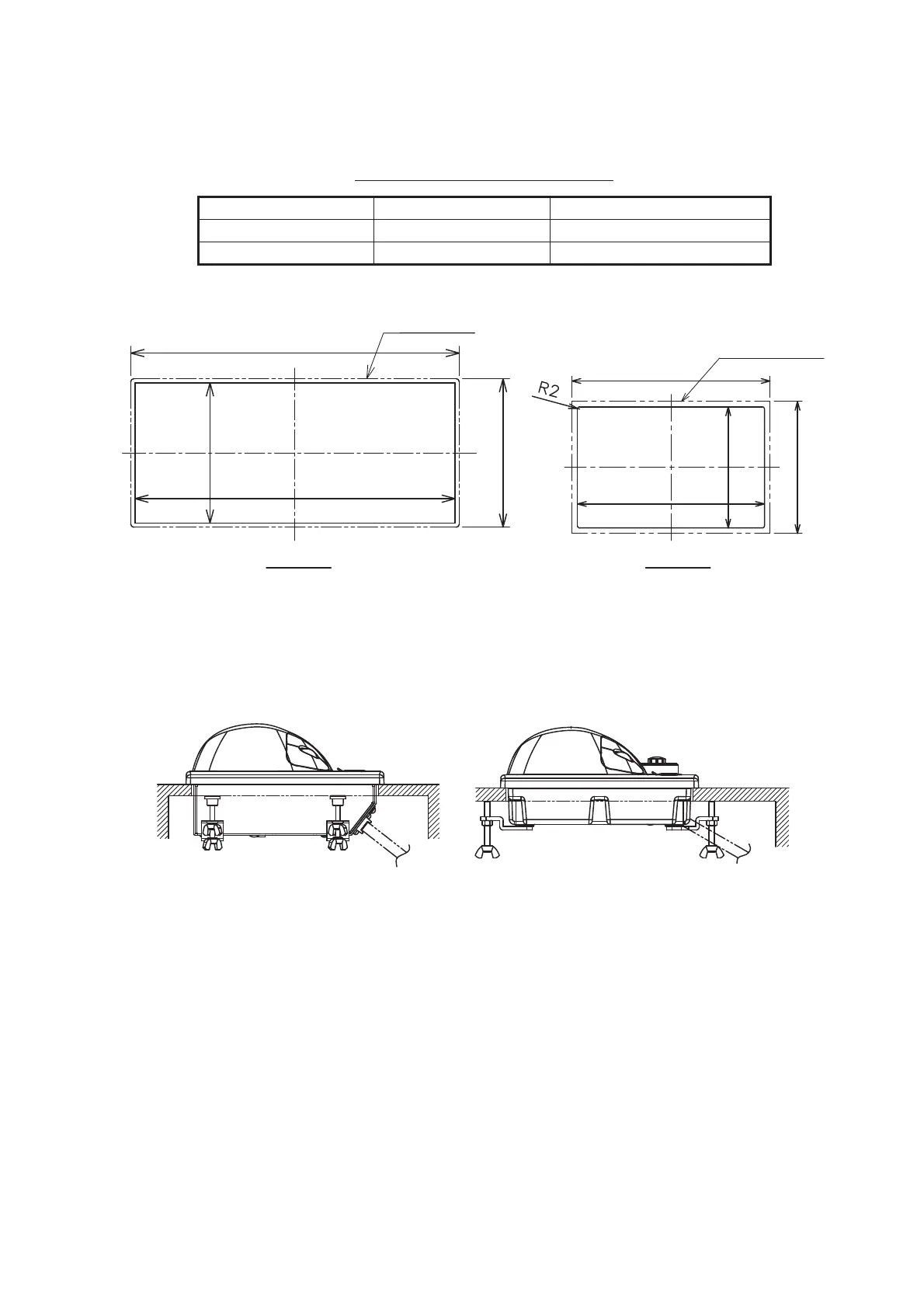
1. Prepare a cutout in the mounting location as shown on below.
2. Set the control unit to the cutout.
3. Attach the mounting plate to the control unit with four screws from the rear side.
4. Screw the wing screw to each mounting plate and then insert hex. bolt to each
wing screw.
5. Fasten each wing screw and then fasten the wing nuts as shown in figure below.
Side view of control units
Control Unit Type Code No.
RCU-024 OP24-24 001-171-790
RCU-026 OP24-27 001-171-820
Outline of unit
398
180
388±2
170±2
RCU-024 RCU-026
120
Outline of unit
180
170±2
110±2


 To Next Page
 Loading...









