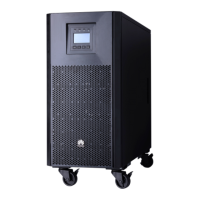
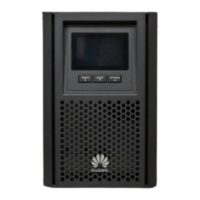
UPS2000-A-(6 kVA-10 kVA)
User Manual
Copyright © Huawei Technologies Co., Ltd.
3.3.1 Routing Cables......................................................................................................................................................... 44
3.3.2 Securing UPSs in a Parallel System ......................................................................................................................... 45
3.3.3 Connecting Cables to Parallel UPSs (Professional Version with Standard Backup Time) ...................................... 46
3.3.4 Connecting Cables to Parallel UPSs (Professional Version with Long Backup Time) ............................................ 48
3.4 Installing a Backfeed Protection Device ..................................................................................................................... 50
3.4.1 Backfeed Protection Device Specifications ............................................................................................................. 50
3.4.2 Feedback Prevention Connections (With Dry Contract Control) ............................................................................. 51
3.5 Check After Installation .............................................................................................................................................. 53
4 Control Panel ............................................................................................................................... 55
4.1 Introduction ................................................................................................................................................................ 55
4.2 Indicators .................................................................................................................................................................... 55
4.3 Functional Buttons ...................................................................................................................................................... 56
4.4 LCD ............................................................................................................................................................................ 57
4.5 LCD Startup Screens .................................................................................................................................................. 57
4.5.1 Starting the UPS in Normal Mode ........................................................................................................................... 61
4.5.2 Starting the UPS in Battery Mode ........................................................................................................................... 61
4.6 LCD Menu Hierarchy ................................................................................................................................................. 62
4.6.1 Control Menu ........................................................................................................................................................... 65
4.6.2 Setting Menu ............................................................................................................................................................ 67
4.6.3 Active Alarm Display Menu .................................................................................................................................... 78
4.6.4 Historical Alarms Display Menu ............................................................................................................................. 79
5 Operations .................................................................................................................................... 81
5.1 Checking Before Powering On the UPS ..................................................................................................................... 81
5.2 Single UPS Operations ............................................................................................................................................... 81
5.2.1 Starting the UPS....................................................................................................................................................... 81
5.2.2 Shutting down the UPS ............................................................................................................................................ 88
5.2.3 Performing EPO ....................................................................................................................................................... 89
5.3 Parallel System Operations ......................................................................................................................................... 90
5.3.1 Starting the Parallel System ..................................................................................................................................... 90
5.3.2 Shutting Down the Parallel System ......................................................................................................................... 98
5.3.3 Performing EPO for a Parallel System .................................................................................................................. 100
5.3.4 Removing a UPS from a Parallel System .............................................................................................................. 101
5.3.5 Adding a UPS from a Parallel System ................................................................................................................... 104
5.3.6 Replacing a UPS from a Parallel System ............................................................................................................... 106
6 Communications ....................................................................................................................... 110
6.1 Optional Communications Components ................................................................................................................... 110
6.2 SNMP Card ............................................................................................................................................................... 110
6.3 Modbus Card ............................................................................................................................................................ 111
6.4 Dry Contact Card ...................................................................................................................................................... 111
7 Routine Maintenance ............................................................................................................... 112


 To Next Page
 Loading...