Media Mode I 2-5
02
Media Mode
Starting Mode
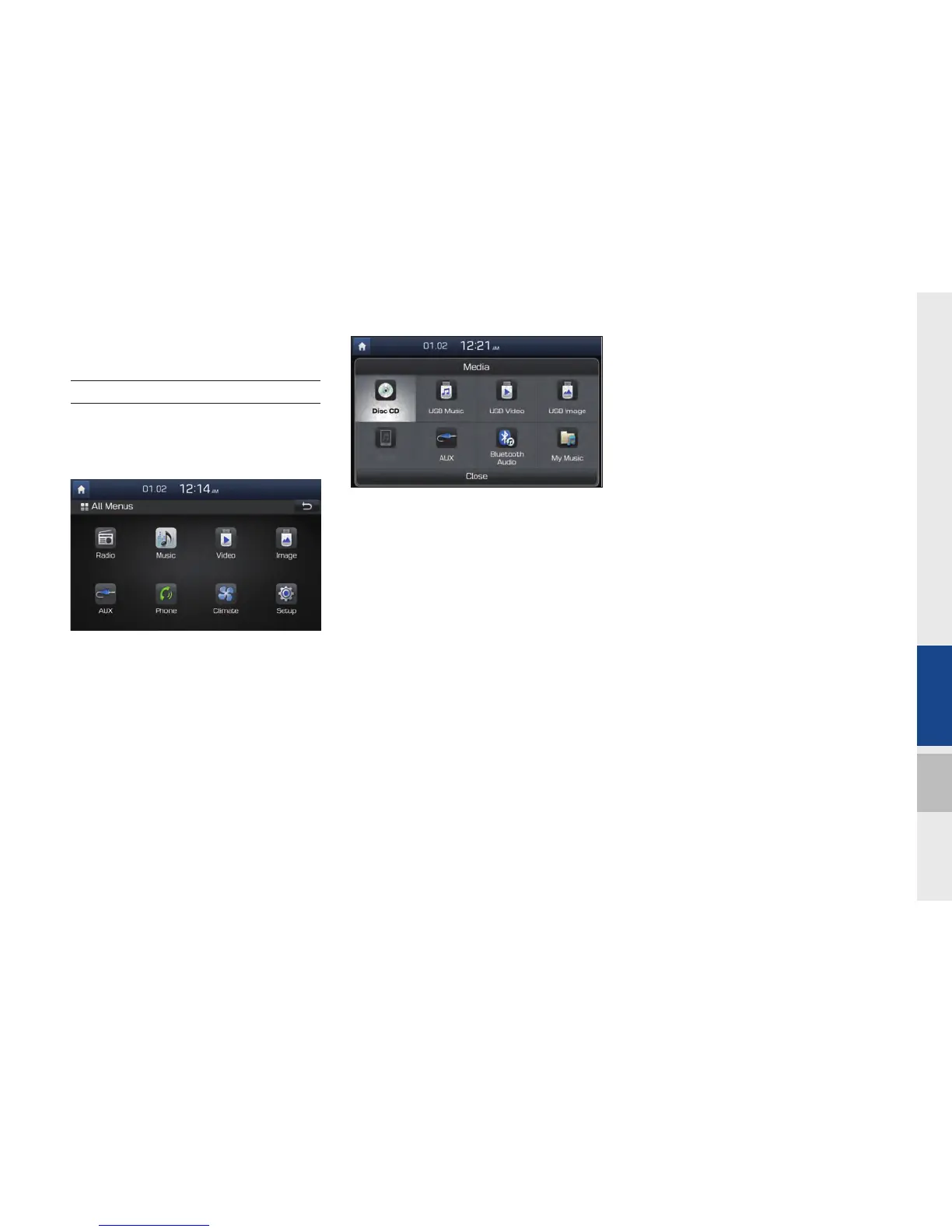
1. From All Menus, select an icon you
want from “Music, Video, Image, AUX”
to enter the last mode you used.
2. You can enter the Media mode that you
recently used by pressing the Media
hard key while in another mode.
3. To go to a different mode after you enter
Media mode, press Media and choose
the one you want from.
H_DH_G4.5[L]AV PART2.indd 2-5H_DH_G4.5[L]AV PART2.indd 2-5 2014-07-02 오후 5:07:582014-07-02 오후 5:07:5


 To Next Page
 Loading...